


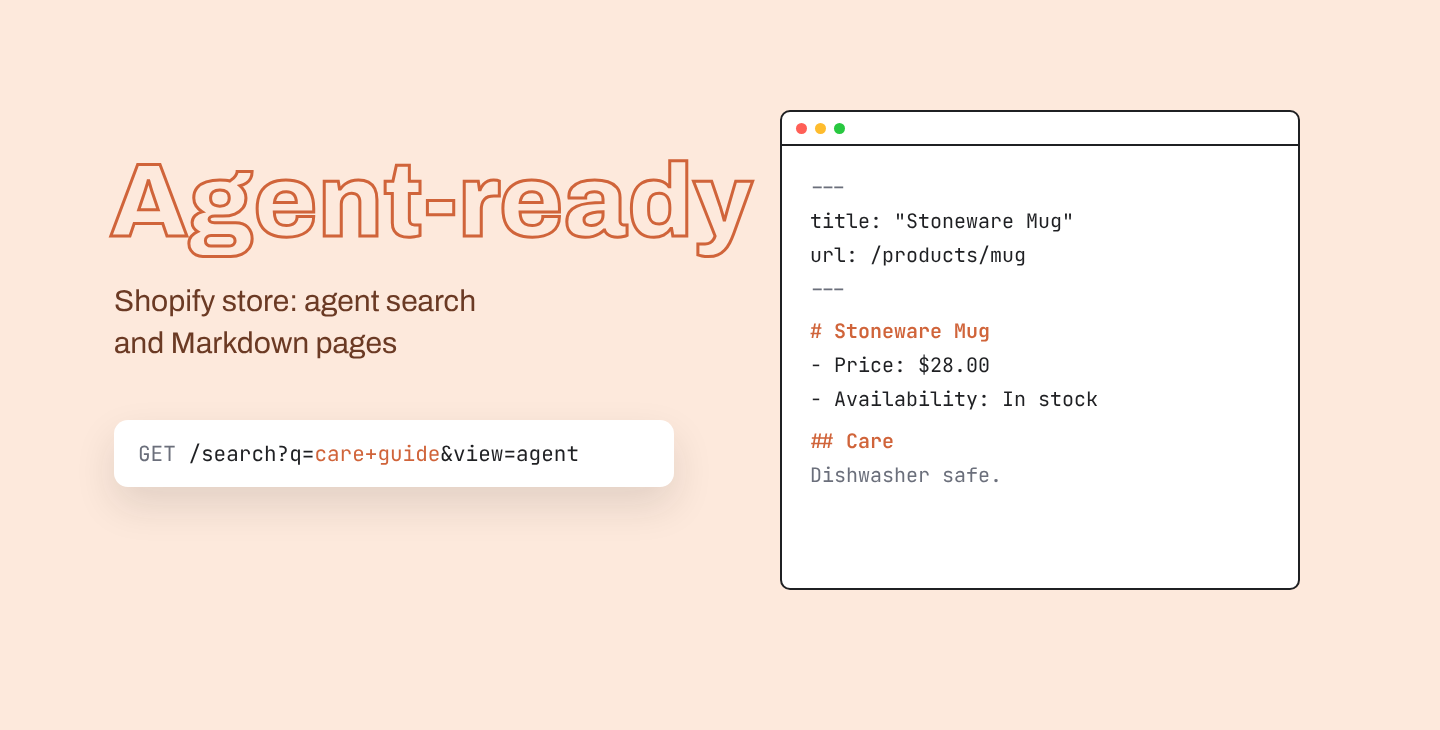
An agent-ready Shopify store is one an AI agent can search and read without scraping your theme: it can ask one search URL a question and get Markdown back, then read a clean Markdown copy of any page. Shopify already covers the shopping side for every store (agents.md, llms.txt, product search, cart and checkout tools for agents). What it doesn't cover is a search over your blog posts and pages, Markdown copies of your pages, and the agent:* discovery tags. Our free Claude skill adds all three to your theme.
We built the same features for heycarson.com this month, then adapted them to Shopify's platform as it stands in November 2026. The skill checks what your store serves today, then adds the missing pieces to a duplicate of your theme for you to preview.
Download the Shopify agent-readable store skill (zip). It's free for your own store or client work.
Want to see where your store stands first? Run your home page through isitagentready.com, a free scanner that checks a site the way an AI agent reads it.
What does "agent-ready" mean?
Two things make a website easy for an AI agent, whether that's ChatGPT browsing for a shopper, Claude researching a product, or a coding agent setting up an integration:
- One search endpoint it can query instead of crawling page after page.
- A clean Markdown copy of each page, so it reads your words instead of thousands of lines of theme HTML, scripts and app widgets.
Cloudflare turned both into products. Markdown for Agents launched on 12 February 2026: when a request sends an Accept: text/markdown header, Cloudflare converts the page's HTML to Markdown on the way out. Per Cloudflare's docs, it's included in the Pro, Business and Enterprise plans. Search for Agents followed on 25 November 2026: it indexes your site and answers at yourdomain.com/.well-known/search?q=... with matching content in Markdown, not an AI-written answer.
Search for Agents also adds four meta tags to every page's <head> so agents can find the endpoint: agent:instructions, agent:endpoint, agent:method and agent:documentation. They're Cloudflare's convention rather than a web standard, but scanners such as isitagentready.com now check for them.
Both Cloudflare features need your domain running through your own Cloudflare account. Most Shopify stores don't, so the skill builds the same things inside your theme.
What Shopify does and doesn't do for AI agents
Shopify has done more here than most platforms, but only for shopping. Here's what every Shopify Online Store does and doesn't serve to AI agents, checked on 28 November 2026 against Shopify's docs and two live stores (Shopify's Horizon demo store and a large Shopify brand):
| Feature | Shopify | What you do |
|---|---|---|
agents.md and llms.txt |
Yes, automatic |
Optional: add your own section |
Agent product search, cart, checkout |
Yes, automatic |
Nothing |
Policy and FAQ answers |
Yes, automatic |
Keep policies filled in |
Browser agent tools |
Yes, Chromium only |
Nothing |
Search over posts and pages |
No |
Add agent search |
Markdown copies of pages |
No |
Add ?view=md templates |
agent:* meta tags |
No |
Add the head snippet |
isitagentready.com agent checks |
Fail |
Pass with a Cloudflare Worker |
What Shopify does
- agents.md and llms.txt. Since 28 May 2026, every store serves
/agents.md, and/llms.txtand/llms-full.txtmirror it, per the Shopify developer changelog. The default file tells agents how to shop with you and links your policies. Our llms.txt for Shopify guide shows how to customize it. - Product search, carts and checkout for agents. The file points agents to your
/.well-known/ucpprofile and an MCP endpoint at/api/ucp/mcp. Its tools search your product catalog, build carts and checkouts, and answer questions about your policies and FAQs (ask_business, per Shopify's Ask docs). Our Shopify agentic commerce guide covers the selling side. - Browser tools (WebMCP). Since 5 August 2026, Liquid storefronts register browser tools an agent can call, including a
search_catalogtool that covers products, collections, articles and pages. Agent support is limited to Chromium-based browsers through an origin trial, and only agents running inside the shopper's browser can use these tools. - Product data for AI channels. Shopify Catalog sends your products to ChatGPT, Copilot, Gemini and other assistants through agentic storefronts. That's separate from your website, and it's where most shopping answers come from.
What Shopify doesn't do
- No search over your content.
/.well-known/searchreturns a 404 on Shopify. An agent that isn't running inside a browser can't search your blog posts, buying guides, size charts or FAQ pages over plain HTTP. Shopify's MCP tools search products only, andask_businessanswers from policies and FAQs, not your blog. - No Markdown copies. A request with
Accept: text/markdowngets your normal theme HTML, so an agent reads your full page, scripts and app embeds included. Only/agents.md,/llms.txtand/llms-full.txtcome back as Markdown. - No
agent:*meta tags, so agents that look for them can't find a search endpoint. - No content in agents.md beyond shopping. You can edit the file, but you have to list your guides by hand (more on that below).
Check your own store
Run your home page through isitagentready.com, a free scanner that tests a site the way an AI agent would. On a standard Shopify store you'll see the Shopify parts pass (agents.md, llms.txt) and two checks fail: Search for Agents, which looks for the agent:endpoint tag and /.well-known/search, and Markdown negotiation, which sends Accept: text/markdown to your home page. Save the report so you can compare after you make changes.
You can't fill these gaps from Shopify's agent files. The agents.md.liquid template only gets two Liquid objects, request and agents. Per Shopify's template docs, shop, blogs, articles and pages render blank there, so you can't list your articles automatically.
Does any of this change your rankings? No AI company has said it does. Google's guide to generative AI features in Search says you don't need AI text files or Markdown to appear there. The value is practical: once an agent is on your site, it finds the right guide and reads your actual words, prices and stock, with less room to get them wrong. For stores that publish buying guides, care instructions or detailed FAQs, that's the content Shopify's shopping tools don't reach.
What the free Claude skill adds
The shopify-agent-readable-store skill is a folder of instructions and theme files that Claude follows in order. Claude Code with the Shopify CLI can add the files to a theme copy for you; on Claude.ai, Claude gives you each file to paste into the code editor.
- Checks what your store serves today: agents.md, llms.txt, the UCP profile,
/.well-known/search, Markdown negotiation and the meta tags. - Agent search: a search template that prints Shopify's own storefront search as Markdown, over products, blog posts and pages.
- The
agent:*tags in your theme's<head>, plus a link to each page's Markdown copy. - A "search our guides" section for your
agents.md, added after Shopify's own text. - Markdown copies of every product, collection, page and blog post at the page's URL plus
?view=md. - An optional Cloudflare Worker for stores that run their own Cloudflare zone in front of Shopify. It answers the exact
/.well-known/searchpath and sends Markdown with the right content type.
Every change goes on a duplicate theme first, and the skill won't publish anything without your OK. The rest of this post shows what each piece does, so you can also add them by hand.
How do you add agent search to a Shopify theme?
Shopify's storefront search already covers products, pages and blog posts: per Shopify's search docs, /search?q=...&type=product,article,page searches all three. The skill adds a template, templates/search.agent.liquid, that prints those results as Markdown instead of your search page:
yourstore.com/search?q=care+instructions&type=product,article,page&view=agent
Each result has a title, the clean URL and a one-line summary: price and stock for products, the excerpt for blog posts, the first lines for pages. The core of the template:
{%- layout none -%}
{%- paginate search.results by 10 -%}
# Search results for: "{{ search.terms | escape }}"
{% for item in search.results %}
## {{ item.title }}

{{ shop.url }}{{ item.url | split: '?' | first }}
{% case item.object_type %}
  {% when 'product' %}Product. {{ item.price_min | money }}{% unless item.available %}, sold out{% endunless %}
  {% when 'article' %}Guide. {{ item.excerpt_or_content | strip_html | truncatewords: 40 }}
  {% when 'page' %}Page. {{ item.content | strip_html | truncatewords: 40 }}
{% endcase %}
{% endfor %}
{%- endpaginate -%}
Three caveats:
- Test it on your theme. Shopify's alternate templates docs document
?view=for products, collections, pages, blogs and blog posts; search isn't on that list. Open the URL above on your theme preview. If your normal search page loads, use the Cloudflare Worker or an app proxy instead. - It's served as HTML. Liquid templates can't change the content type, so the response says
text/htmleven though the text is Markdown. Agents read it fine. The template escapes the search terms so the page is safe in a browser. - Shopify does the ranking. There's no relevance score per result, unlike Cloudflare's. If the right page doesn't come up for a real question, improve that page's title and opening lines. Don't tune the template.
Shopify's default robots.txt already blocks /search for crawlers, so these result pages stay out of Google.
How do you add the agent tags?
Add one snippet, snippets/agent-head.liquid, and render it inside <head> in layout/theme.liquid:
{% render 'agent-head' %}
It outputs Cloudflare's four tags, pointing at your agent search and your llms.txt:
<meta name="agent:instructions" content="Use this search to find products, guides and store pages on Example Ceramics (handmade stoneware) ...">
<meta name="agent:endpoint" content="https://example-store.com/search?q={query}&type=product,article,page&view=agent">
<meta name="agent:method" content="GET">
<meta name="agent:documentation" content="https://example-store.com/llms.txt">
Rewrite the instructions line in plain words about what you sell. Agents use it to decide whether your store is worth searching. On product, collection, page and blog post templates, the snippet also adds a <link rel="alternate" type="text/markdown"> pointing at that page's Markdown copy.
Then tell agents about the search in agents.md. Copy Shopify's current file into templates/agents.md.liquid so you keep everything Shopify wrote. Then add a short section with the search URL and links to your key guides, written by hand with {{ agents.store_url }}. If you already have a custom llms.txt.liquid, add the section there too.
How do you add Markdown copies of products and blog posts?
Four templates, each with {% layout none %}, give every product, collection, page and blog post a Markdown copy at its normal URL plus ?view=md. Each copy starts with front matter: title, canonical URL, last updated, author, and the agent search. A product copy looks like this:
---
title: "Stoneware Mug"
url: https://example-store.com/products/stoneware-mug
last_updated: 2026-11-20
store: "Example Ceramics"
agent:
  endpoint: "https://example-store.com/search?q={query}&type=product,article,page&view=agent"
---

# Stoneware Mug

- Price: $28.00 to $34.00
- Availability: In stock
- Color: Sand, Slate

A 12 oz mug, thrown by hand in Oregon.

- Dishwasher safe

## Variants

- Sand: $28.00
- Slate: $34.00, sold out
Collections list their first 50 products in the same order as the page, with price and link. Pages and blog posts carry their body text as Markdown: headings, paragraphs, lists and bold survive. Images, embedded videos and app widgets are dropped. Links keep their words but lose the URL, because Liquid can't parse HTML properly.
Before you publish, check three copies of each type against the live page. Prices and stock should match, and nothing hidden on the page should appear in the copy. If you don't want Google crawling the copies, add Disallow: /*view=md to the User-agent: * group in robots.txt.liquid. Our Shopify robots.txt guide explains how to edit it without breaking Shopify's defaults.
Should you put Cloudflare in front of your Shopify store?
Only if you already run your own Cloudflare zone, or have a developer who will look after one. Cloudflare documents this setup for Shopify as Orange-to-Orange (O2O): your zone proxies traffic first, then Shopify's.
What it adds: a Cloudflare Worker (included in the skill) can answer the exact /.well-known/search path, accept POST queries as well as GET, and serve your ?view=md copies as real text/markdown. It does that for requests that send Accept: text/markdown or add .md to a URL. Those are the two checks isitagentready.com runs, and the two a theme alone can't pass.
What it doesn't add: Cloudflare's own Search for Agents and Markdown for Agents toggles. Cloudflare's O2O compatibility list doesn't include either, so don't count on them for a Shopify store. The Worker does the same job from your theme templates.
The risks are real. A misconfigured Worker or rule on an O2O zone can block shoppers, and Cloudflare disables Workers on /checkout under O2O. Test on a staging hostname, keep checkout out of it, and have someone who can roll it back.
What about headless (Hydrogen) stores?
Hydrogen and other headless storefronts don't use Liquid templates, and Shopify's managed agents.md and llms.txt aren't served there. Build /.well-known/search, the Markdown copies and those two files as routes in your app, from the Storefront API. Use the same output and headers as the Worker. The skill's instructions cover this, but expect a developer task rather than a copy-and-paste one.
How we built this on heycarson.com
This site isn't on Shopify, so we built the original version directly: a search endpoint at /.well-known/search over our blog, theme and app reviews and rankings, the agent tags, a "For AI agents" section in our llms.txt, and Markdown copies of every blog post. A few lessons carried into the Shopify skill:
- Test with real questions, not keywords. "How much does a Shopify developer cost" first returned a developer directory instead of our pricing page. We fixed it by improving the page title, not the search code. The skill tells you to do the same.
- Leave obvious words out of the index. On a Shopify site, "shopify" appears in nearly every page, so it carries no signal. Shopify's own search handles this for you.
- Keep search results plain. We first added front matter to each search response, and isitagentready.com then treated the results as "a page" and failed the check. Front matter belongs on page copies, not search results.
How do you test an agent-ready Shopify store?
Run these against your theme preview, then your live domain:
/search?q=returns&type=product,article,page&view=agentreturns a Markdown list with your returns page near the top. Try five real shopper questions.- View your home page source and search for
agent:. You should see four tags. - Open a product URL with
?view=mdand check the price, stock and options against the page. - Open
/agents.mdand check your new section is there under Shopify's text. - With the Worker only: run the home page through isitagentready.com.
Then ask ChatGPT, Claude or Perplexity a question your guides answer, with your store name in it, once a month. If agents keep quoting old prices or missing a guide, the Markdown copy or the search result for that page is where to look first.
What to do next
- Open
yourstore.com/agents.mdto see what Shopify already publishes for you. - Download the skill and run it on a duplicate theme, or add the templates above by hand.
- Fix the basics agents rely on first. Our Claude skills for Shopify include an SEO and AI visibility audit that checks crawler access, product markup and llms.txt.
If you'd rather have a developer set it up, including the Cloudflare Worker or a headless build, you can brief a vetted Shopify expert.




 Request to Join