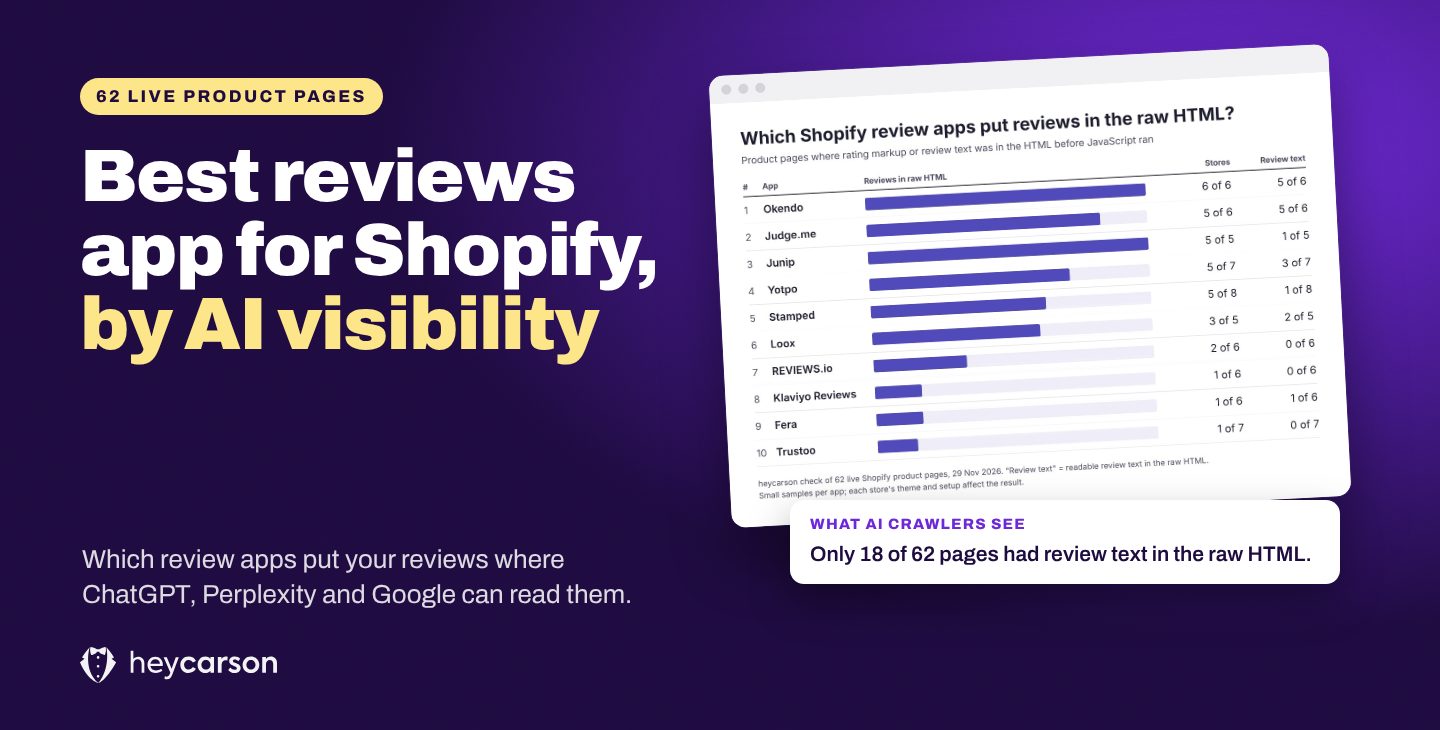
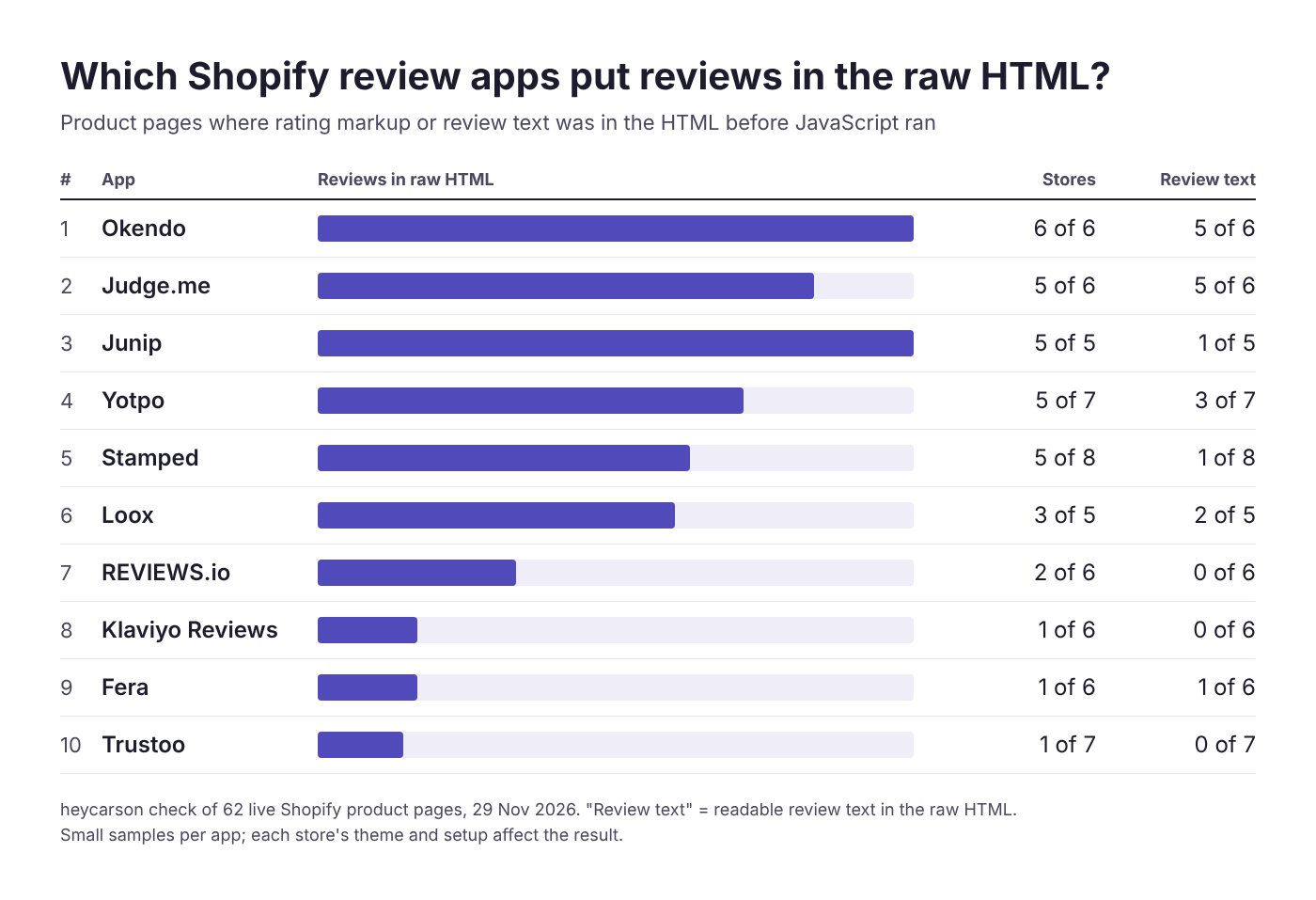
The best reviews app for Shopify, if you want Google and AI assistants to read your reviews, is Okendo or Judge.me. On 29 November 2026 we checked 62 live Shopify product pages using 10 review apps. Okendo had reviews in the page's HTML on 6 of 6 stores and Judge.me on 5 of 6, with the review text itself readable on 5 stores each. Judge.me costs less (free plan, then $15/month), so it's our pick for most stores.
Most review apps add reviews with JavaScript after the page loads. Googlebot runs that JavaScript. AI crawlers such as GPTBot, OAI-SearchBot, ClaudeBot and PerplexityBot mostly don't, so they see an empty box where your reviews should be. Across all 62 pages, only 18 had review text an AI crawler could read, and 28 showed reviews or stars only after JavaScript ran.
This ranking is about one question: can machines read your reviews? For the full ranking by merchant ratings and features, see our Shopify review apps ranking.
The 10 review apps ranked by AI and Google visibility
We ranked each app by the share of stores we checked where review text or rating markup was in the raw HTML, then by how often the review text itself was there. App Store figures were read from each app's Shopify App Store listing on 29 November 2026.
| Rank | App | Reviews in raw HTML | App Store rating | Paid plans from |
|---|---|---|---|---|
1 |
Okendo |
6 of 6 stores |
4.8 (1,456) |
$19/month |
2 |
Judge.me |
5 of 6 stores |
5.0 (50,965) |
$15/month |
3 |
Junip |
5 of 5 stores |
4.8 (1,185) |
$29/month |
4 |
Yotpo |
5 of 7 stores |
4.8 (4,629) |
$15/month |
5 |
Stamped |
5 of 8 stores |
4.7 (3,752) |
$23/month |
6 |
Loox |
3 of 5 stores |
4.9 (10,225) |
$49.99/month |
7 |
REVIEWS.io |
2 of 6 stores |
4.7 (781) |
$19/month |
8 |
Klaviyo Reviews |
1 of 6 stores |
4.8 (237) |
$25/month |
9 |
Fera |
1 of 6 stores |
4.8 (2,028) |
$9/month |
10 |
Trustoo |
1 of 7 stores |
4.9 (1,589) |
$11.99/month |
Every app except Stamped and Fera lists a free plan. Judge.me, Loox, Junip and Trustoo carry the Built for Shopify badge. The samples are small, so read the ranking as "what we saw on real stores", not a lab test: a store's theme and setup can change the result for the same app.
Why it matters where your reviews load
A review widget can put reviews on the page in two ways. It can print them into the HTML your store sends (server-rendered), or it can send an empty box and fill it with JavaScript a second later. Shoppers see the same thing either way. Crawlers don't.
- Googlebot renders JavaScript. Google's JavaScript SEO guide says a headless Chromium "renders the page and executes the JavaScript" once resources allow, and pages can wait in a render queue first. Google also says it can process structured data added with JavaScript, but warns that this "can make Shopping crawls less frequent and less reliable."
- AI crawlers mostly read raw HTML. Vercel analysed AI crawler traffic across its network and reported in December 2024 that "none of the major AI crawlers currently render JavaScript". ChatGPT's and Claude's crawlers fetched JavaScript files but didn't run them.
So a JavaScript-only widget still works for Google stars, with some delay and risk. For ChatGPT, Perplexity or Claude reading your product page, those reviews don't exist. Our GEO guide found the same pattern on 22 brand product pages: only 3 had reviews in the HTML.
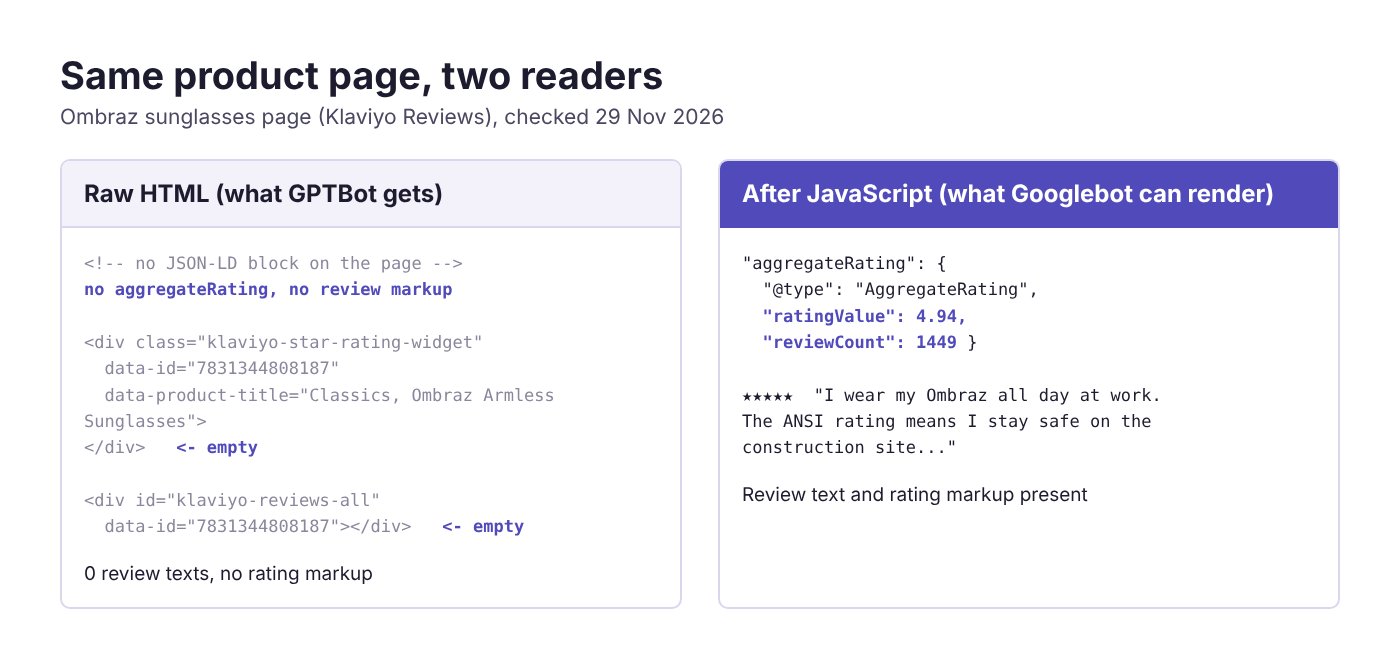
On the Ombraz product page, the raw HTML had two empty Klaviyo review containers and no JSON-LD at all. After JavaScript ran, the page carried a 4.94 rating from 1,449 reviews and the review text.
What we found on 62 Shopify product pages
Here is the whole sample in one table, across the 10 apps.
| Result | Pages | Share |
|---|---|---|
Rating markup or review text in raw HTML |
34 |
55% |
Reviews only after JavaScript |
28 |
45% |
Review text readable in raw HTML |
18 |
29% |
Rating markup in raw HTML |
32 |
52% |
No rating markup even after JavaScript |
16 |
26% |
What stood out:
- Rating markup travels better than review text. Half the pages had an AggregateRating in the raw HTML, often printed by the theme. Far fewer had the words of the reviews, which is what an assistant would quote.
- The app matters, but so does the setup. Yotpo put reviews in the HTML on Rothy's and Tatcha but not on Brooklinen or Kylie Cosmetics. Loox did on Moodi and Wild Capri but not on BlendJet or Stila.
- Some stores have stars no machine can parse. On 16 pages, shoppers could see star ratings, but there was no rating markup at all, even after JavaScript. Six of the 7 Trustoo stores we counted were in this group.
- Two stores blocked GPTBot. Jimmy's Iced Coffee and Sacred Minute returned a 403 error to our GPTBot request. Whatever their review app does, that crawler can't read the page.
1. Okendo: reviews in the HTML on every store we checked
Verdict: best result in our test. All 6 stores (Salt & Stone, tentree, Outdoor Voices, Ritual, Glow Recipe and Kosas) had rating markup in the raw HTML, and 5 had review text there too. Salt & Stone's page carried a 4.9 rating from 22,091 reviews before any JavaScript ran.
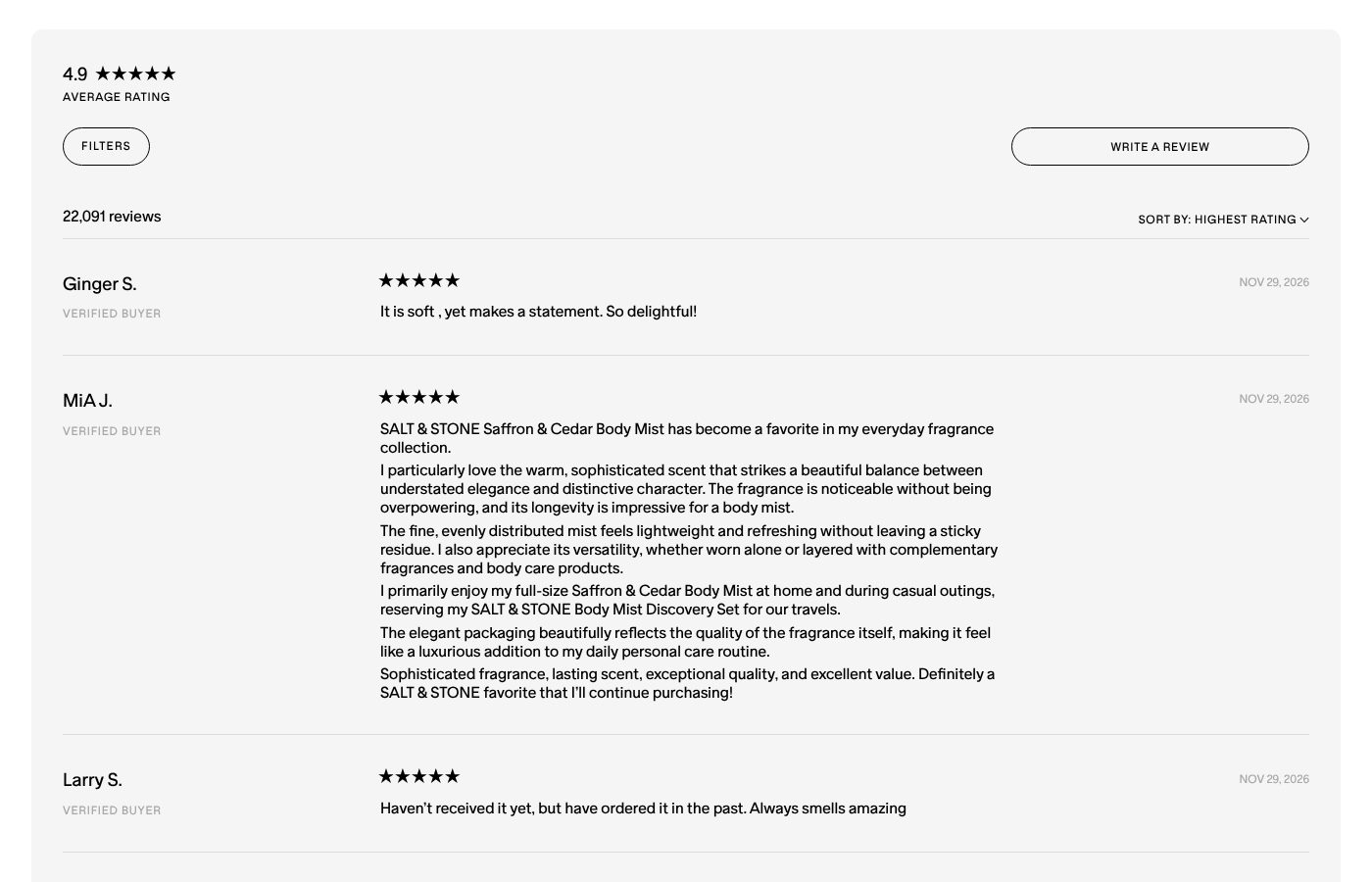
Okendo on Salt & Stone. The rating and these reviews were in the page's raw HTML.
- App Store: 4.8 from 1,456 reviews, free plan, paid plans from $19/month, Growth $119/month
- Built for Shopify: no
- Who it's for: growing brands that want reviews, surveys and loyalty from one vendor and can pay for the higher tiers
Read our Okendo app review.
2. Judge.me: the best value, and the review text is there
Verdict: review text was in the raw HTML on 5 of 6 stores (Beardbrand, Cuyana, Mous, Pura Vida and Depology). Pura Vida's page also had 35 individual Review items in its JSON-LD. On Depology, the rating markup only appeared after JavaScript. On TRUBAR, rating markup appeared only after JavaScript and we found no review text.
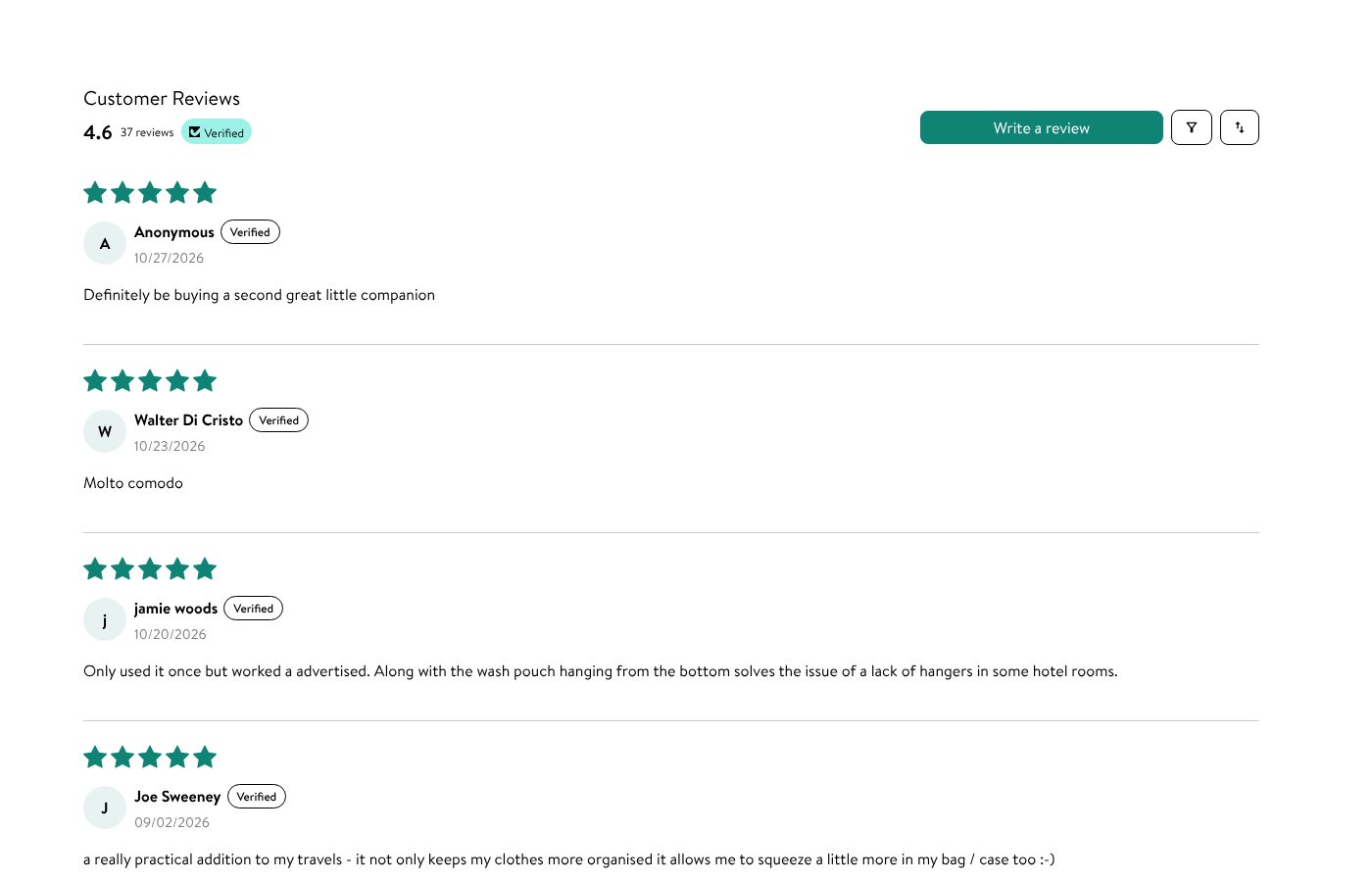
Judge.me on Mous. The rating and review text were in the raw HTML.
- App Store: 5.0 from 50,965 reviews, the most of any app here
- Price: free plan, then $15/month for the Awesome plan
- Built for Shopify: yes
- Who it's for: almost any Shopify store. It's the cheapest way to get reviews that both Google and AI crawlers can read.
Our take: start with Judge.me unless you already know you need Okendo's extras. Read our Judge.me app review.
3. Junip: stars in the HTML, text after JavaScript
Verdict: all 5 stores we counted (Grüns, HexClad, Vessi, Jones Road and Pit Viper) had rating markup or review text in the raw HTML. But the review text itself was there on only 1 of 5 (HexClad). Grüns' page carried a rating from 113,316 reviews in its markup, while the words of those reviews loaded later.
- App Store: 4.8 from 1,185 reviews, free plan, paid plans from $29/month
- Built for Shopify: yes
- Who it's for: brands that care about design and Google stars, and are fine with AI crawlers seeing ratings but not review text
Read our Junip app review.
4. Yotpo: depends on how the store set it up
Verdict: 5 of 7 stores had reviews in the raw HTML. Rothy's, Tatcha and UNTUCKit had review text there; Allbirds (4.6 from 9,951 reviews) and Stanley had rating markup only. Brooklinen and Kylie Cosmetics only showed reviews after JavaScript. We left Glossier out because it shows Yotpo reviews in its own custom widget.
- App Store: 4.8 from 4,629 reviews, free plan, Starter $15/month, Pro $119/month
- Built for Shopify: no
- Who it's for: larger brands already using Yotpo's loyalty or SMS tools. Check your own pages, because the result varied more than for any other app.
Read our Yotpo app review.
5. Stamped: ratings in the HTML, text mostly not
Verdict: 5 of 8 stores had rating markup in the raw HTML (The Sill, Xero Shoes, 1775 Coffee, Sleefs and Stonelux). Only Sleefs had review text there. Frywall, Ugmonk and Truly Beauty showed reviews only after JavaScript, and Frywall and Ugmonk had no rating markup even then.
- App Store: 4.7 from 3,752 reviews, no free plan, from $23/month
- Built for Shopify: no
- Who it's for: stores that want Google stars and already use Stamped's loyalty features
Read our Stamped app review.
6. Loox: photo reviews, mixed visibility
Verdict: 3 of 5 stores had reviews in the raw HTML. On Moodi and Wild Capri, review text and rating microdata were in the HTML, then the widget swapped them for a loox.io iframe. On BlendJet, the review text sat only inside a script, and on Stila the rating markup only appeared after JavaScript.
- App Store: 4.9 from 10,225 reviews, free plan, Convert $49.99/month, Unlimited $299.99/month
- Built for Shopify: yes
- Who it's for: brands selling visual products where photo reviews drive sales. Check that your theme prints the review snippet Loox provides.
Read our Loox app review.
7. REVIEWS.io: mostly JavaScript
Verdict: only 2 of 6 stores had anything in the raw HTML, and both were rating markup only (Modern Nursery and Naturopath Herbals). On Okanui, Clover Living and Jimmy's Iced Coffee, the review text loaded after JavaScript, and on Flat Cap Coffee the review markup appeared only after JavaScript. We couldn't find reviews on product pages at 5 other stores, including Daniel Wellington, so they aren't counted.
- App Store: 4.7 from 781 reviews, free plan, paid plans from $19/month
- Built for Shopify: no
- Who it's for: UK and European brands that want product and company reviews in one tool, with Google Seller Ratings
Read our REVIEWS.io app review.
8. Klaviyo Reviews: built into Klaviyo, invisible to AI crawlers
Verdict: 5 of 6 stores showed reviews only after JavaScript (Ombraz, Floyd, Four Sigmatic, Compass Coffee and Chelsea Peers). Daily Harvest had rating markup in the HTML, but not the review text. Ombraz, Floyd and Chelsea Peers got rating markup after JavaScript; Four Sigmatic and Compass Coffee had none at all.
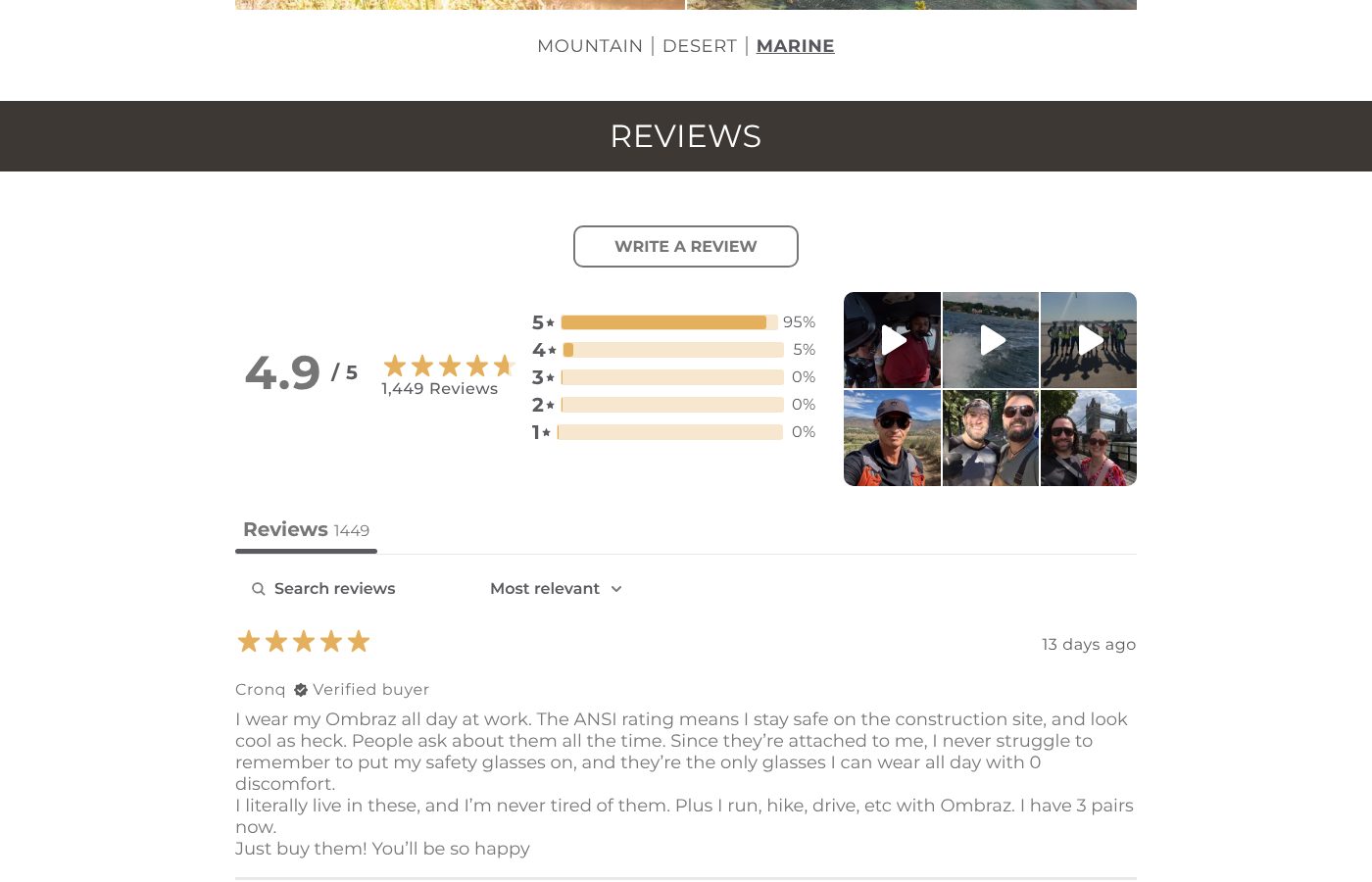
Klaviyo Reviews on Ombraz. None of this was in the raw HTML.
- App Store: 4.8 from 237 reviews, free plan, Reviews plan $25/month
- Built for Shopify: no
- Who it's for: stores already on Klaviyo that want review requests in the same flows. Add rating markup through your theme if you want it in the HTML.
Read our Klaviyo Reviews app review.
9. Fera: JavaScript on 5 of 6 stores
Verdict: only Laughing Ogre Press had reviews in the raw HTML, with rating and review markup. On Nelson's Tea, Red Racer Books, Crystal Life Vibrations, Forsters Finery and Rallune, reviews appeared only after JavaScript, and 3 of those had no rating markup even then.
- App Store: 4.8 from 2,028 reviews, no free plan, from $9/month
- Built for Shopify: no
- Who it's for: small stores that want a low entry price and are happy to fix their own structured data
Fera's listing is on the Shopify App Store.
10. Trustoo: review text hidden in a script
Verdict: 6 of 7 stores showed reviews only after JavaScript. On all 7, the review text was in the HTML only inside a script (data for the widget), not as readable page text. Only Valkyr Gym had rating markup in the raw HTML; the other 6 had no rating markup at all, even after JavaScript.
- App Store: 4.9 from 1,589 reviews, free plan, paid plans from $11.99/month
- Built for Shopify: yes
- Who it's for: new stores that want a free, well-rated app and will add rating markup separately
Read our Trustoo (CWILL) app review.
How to check whether AI can read your reviews
You can test your own store in two minutes. Pick a product with reviews and copy a short phrase from one of them.
- View the page source. In Chrome, right-click the product page and choose View page source (not Inspect, which shows the page after JavaScript). Search for your phrase and for
aggregateRating. - Fetch the page as GPTBot. In a terminal, run this with your own product URL:
curl -s -A "Mozilla/5.0 AppleWebKit/537.36 (KHTML, like Gecko); compatible; GPTBot/1.2; +https://openai.com/gptbot" https://yourstore.com/products/your-product | grep -c "your review phrase"
A result of 0 means GPTBot doesn't get that review. Run it again with aggregateRating in place of the phrase to check for rating markup.
- Check what Google sees. Paste the URL into Google's Rich Results Test. It renders JavaScript, so it shows whether Google finds your product's review snippet after rendering.
If the phrase is missing from the source but shows in the Rich Results Test, your reviews are JavaScript-only: fine for Google, invisible to most AI crawlers. Also check that your robots.txt isn't blocking the crawlers you want.
Video: "Shopify SEO: What Are Structured Data & Rich Snippets?" by Ed Codes - Shopify DIY Tutorials.
How to get your reviews into the HTML
- Ask your app for server-rendered reviews. Some apps can print the first page of reviews into the product page through a theme block or snippet. Ask support whether yours does and how to switch it on.
- Print the rating from the product's data. Review apps can save each product's rating and count to Shopify metafields. Your theme can print those in its product JSON-LD, so the rating is in the HTML even when the widget uses JavaScript. In our test, 16 pages had rating markup in the raw HTML but no readable review text.
- Keep one set of review markup. If both your theme and your app print Product or rating markup, Google can see duplicate or conflicting data. Pick one source.
- Don't block the crawlers you want. Two stores in our test returned errors to GPTBot.
Our agent-ready Shopify store guide covers the other files and settings AI agents look for, and the Shopify SEO guide covers product page structured data in more depth.
How we tested
- Date and sample: 29 November 2026. 78 stores checked, 10 apps, 6 to 11 stores per app; 62 counted.
- Finding stores: we fingerprinted product pages of well-known Shopify brands and of stores named in each app's case studies, home page logos and App Store reviews. The Fera and Trustoo samples are mostly small stores; the others are mostly known brands.
- Picking a page: for each store we tried up to 4 products, starting with those linked from the home page, and kept the first with reviews.
- Raw HTML: each page was fetched once with a GPTBot user agent and once with a Chrome user agent. We looked for review text outside script tags, JSON-LD AggregateRating and Review, and schema.org microdata.
- Rendered: each page was opened in headless Chromium, scrolled to the bottom and given about 10 seconds for widgets to load. Review text found there was matched back to the raw HTML.
- Not counted (16 stores): 14 where we found no reviews on the products we tried, plus Glossier (custom widget) and Kizik (Okendo also present, so the result couldn't be attributed to Stamped).
Limits: 5 to 8 counted stores per app is a small sample. Results depend on each store's theme and how the app was installed, so the same app can score differently on your store. Rating markup in the raw HTML may come from the theme reading the app's saved ratings rather than the app itself; we didn't separate the two. Stores change their setup, so a recheck may differ. The full data and the script are in our repository so the check can be repeated.
Which reviews app should you pick?
For most Shopify stores, install Judge.me: it's free to start, $15/month for everything, and on the stores we checked it put review text in the HTML that AI crawlers read. Larger brands that want surveys and loyalty in one place should look at Okendo, which did best in our test. If you already use Klaviyo, Fera or Trustoo, you don't have to switch; check your page source, then add rating markup through your theme.
If your reviews are stuck in JavaScript or your structured data is a mess, our team can fix it.
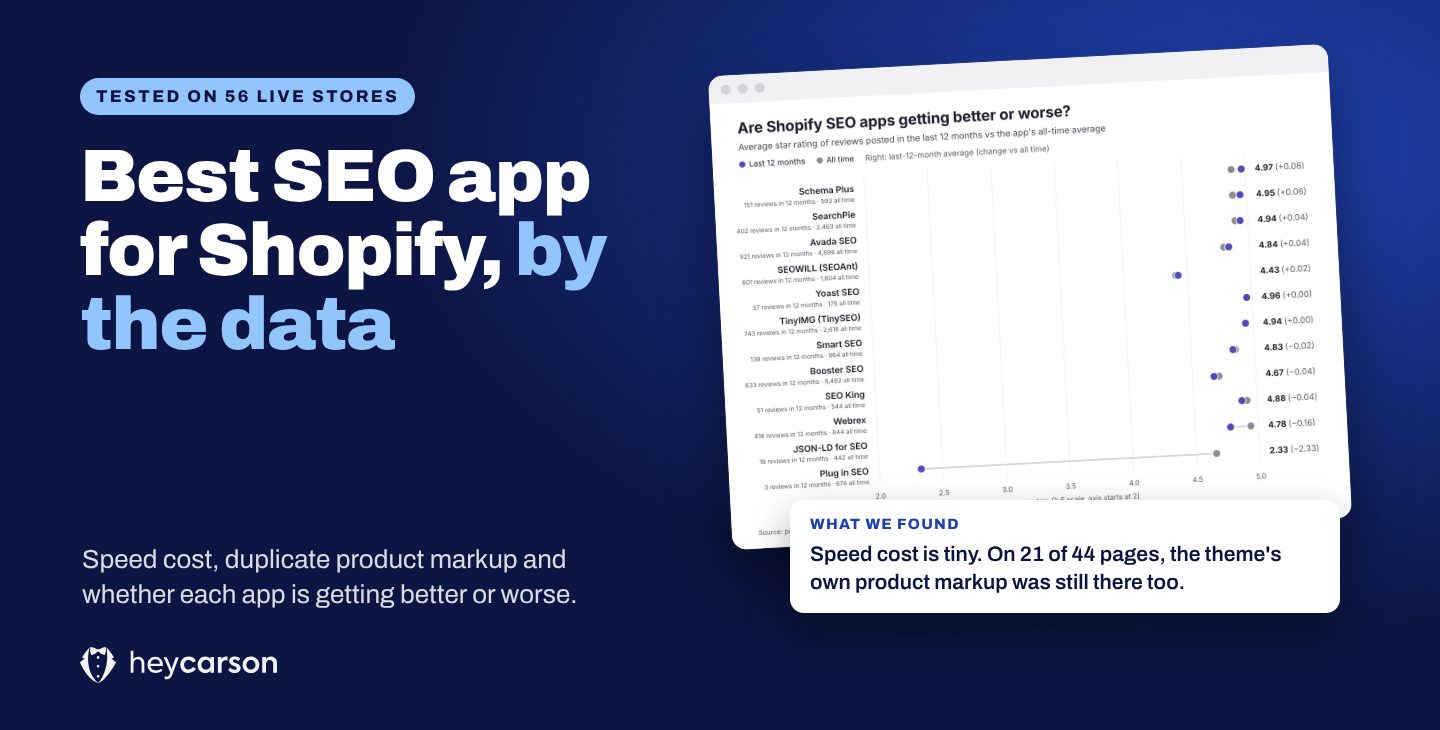
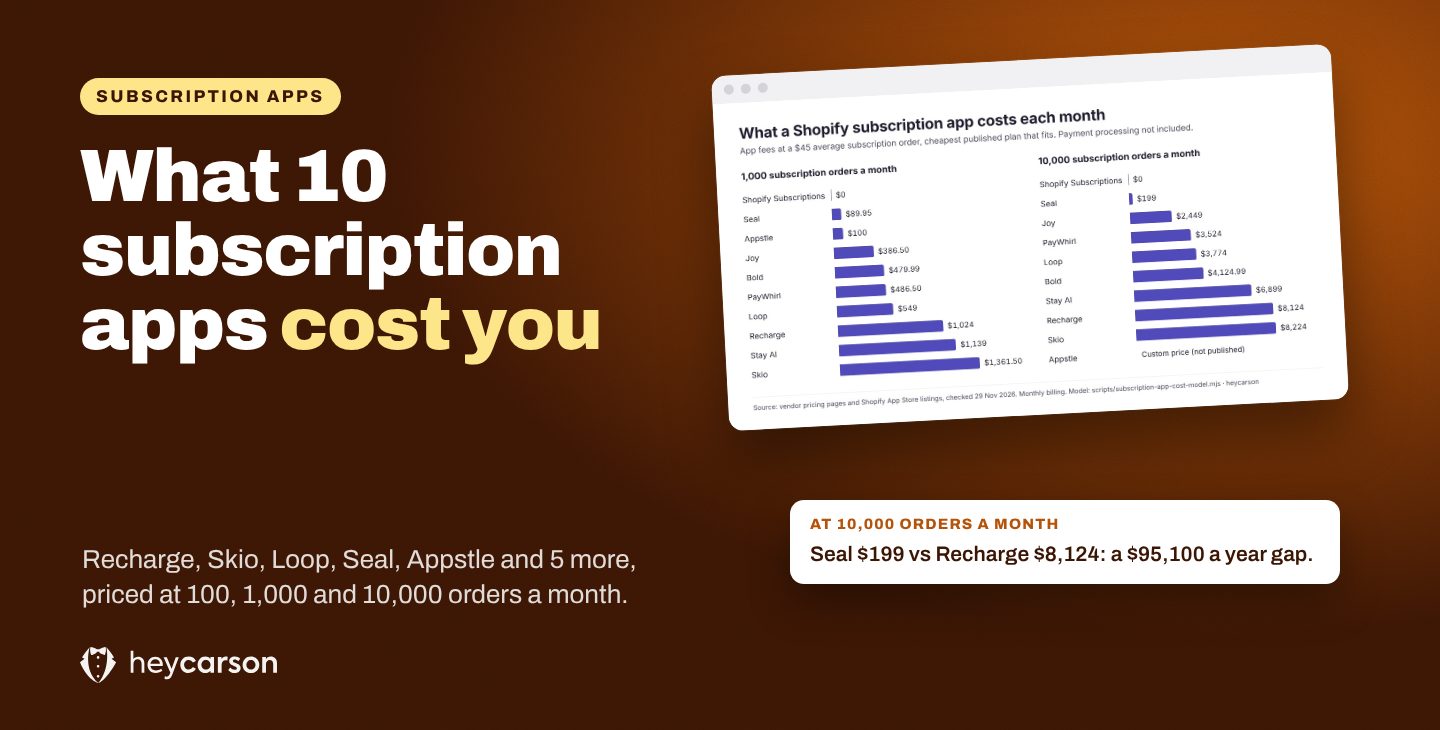
More app guides built on our own data: best SEO app for Shopify (tested on live stores) and Shopify subscription app pricing (10 apps at three store sizes).