


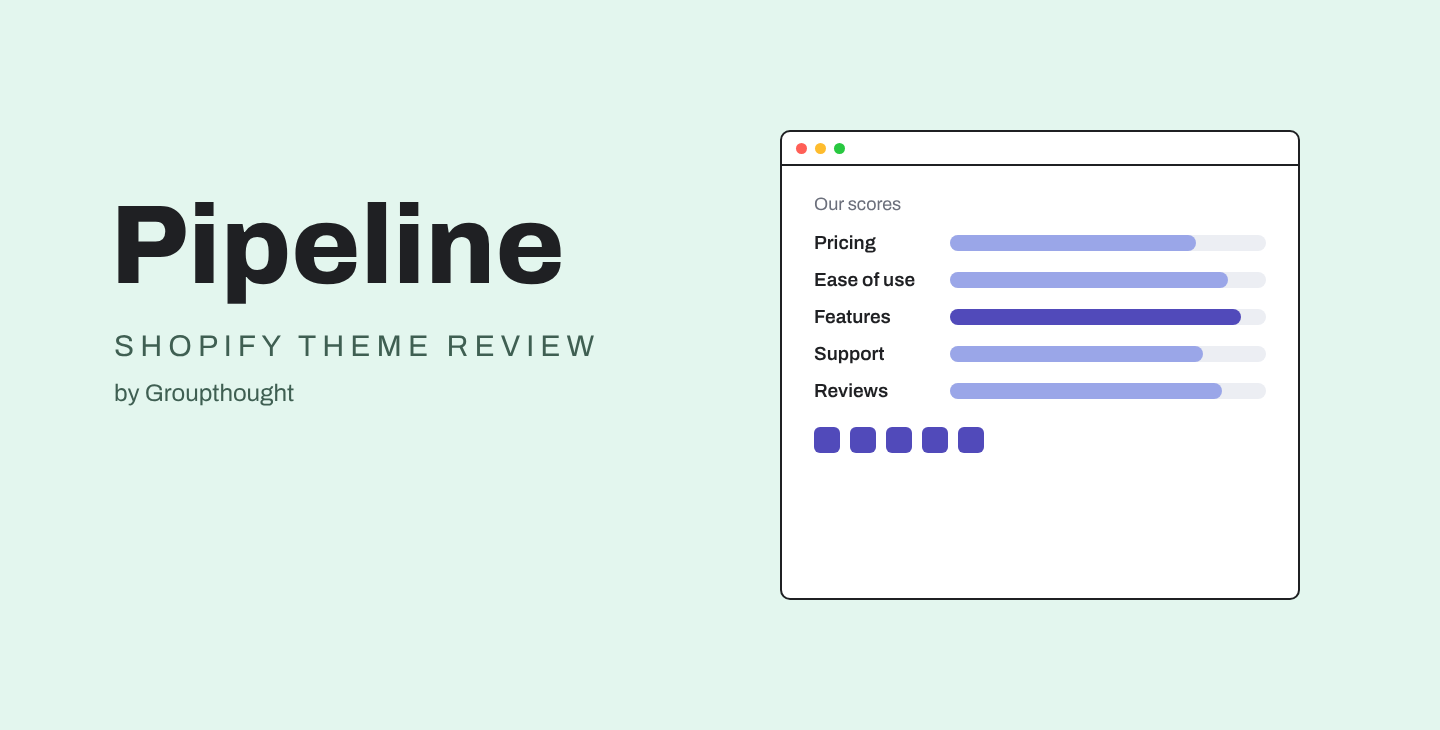
The Pipeline Shopify theme is a $360 theme by Groupthought, built for fashion, apparel and lifestyle brands that want a premium look with a lot of selling tools built in. In this Pipeline Shopify theme review we cover the current version (8.2.0, August 2026), what it costs, its features, how support works and our scores for each, so you can decide whether Pipeline is worth it for your store.
We review popular Shopify themes as Shopify experts who work in them every week. You can also read what merchants say in our Pipeline theme reviews.
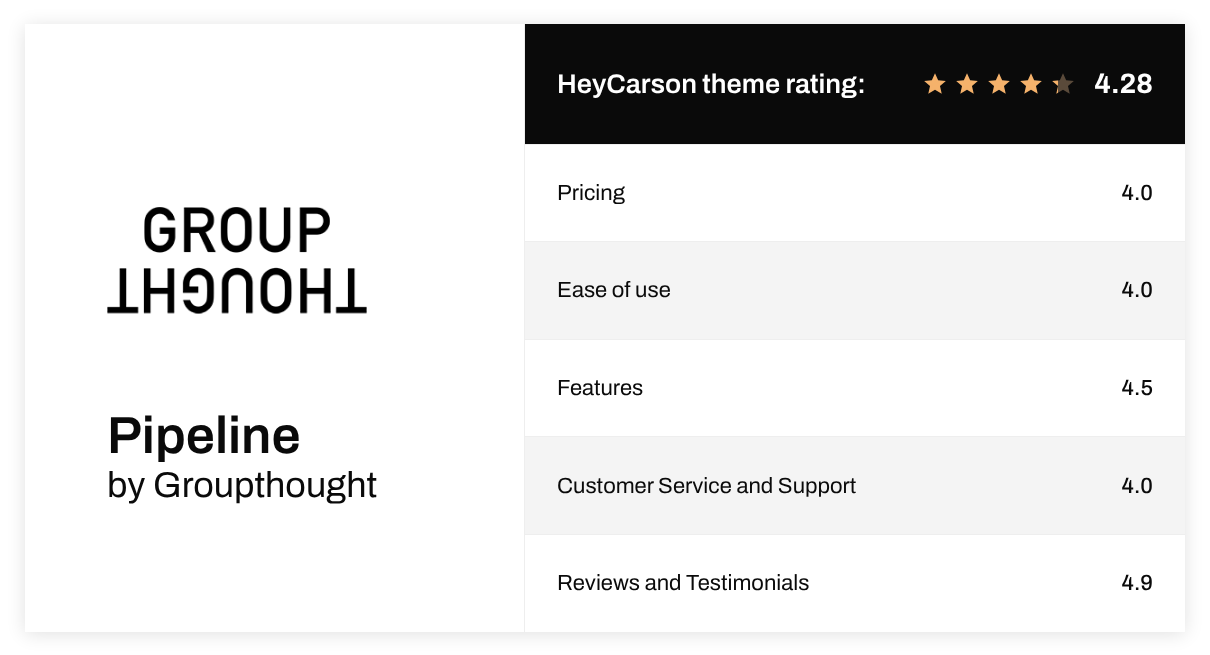
Our scores below are editorial judgement, based on the verified facts in this review.
Pros
- 97% positive rating on the Shopify Theme Store, one of the highest for a paid theme
- Strong built-in upselling: complementary products, "buy it with", cart upsells and a free shipping bar
- Product siblings show separate products (for example, each color) as swatches on one page
- Detailed public documentation and a dated release log
Cons
- Support is through a web form only, with no response time stated
- Fewer large-catalog tools than Warehouse or Empire, and the listing tags it for catalogs of about 11 to 100+ products
- Moving between major versions means copying settings yourself or paying someone to do it
Pipeline theme overview
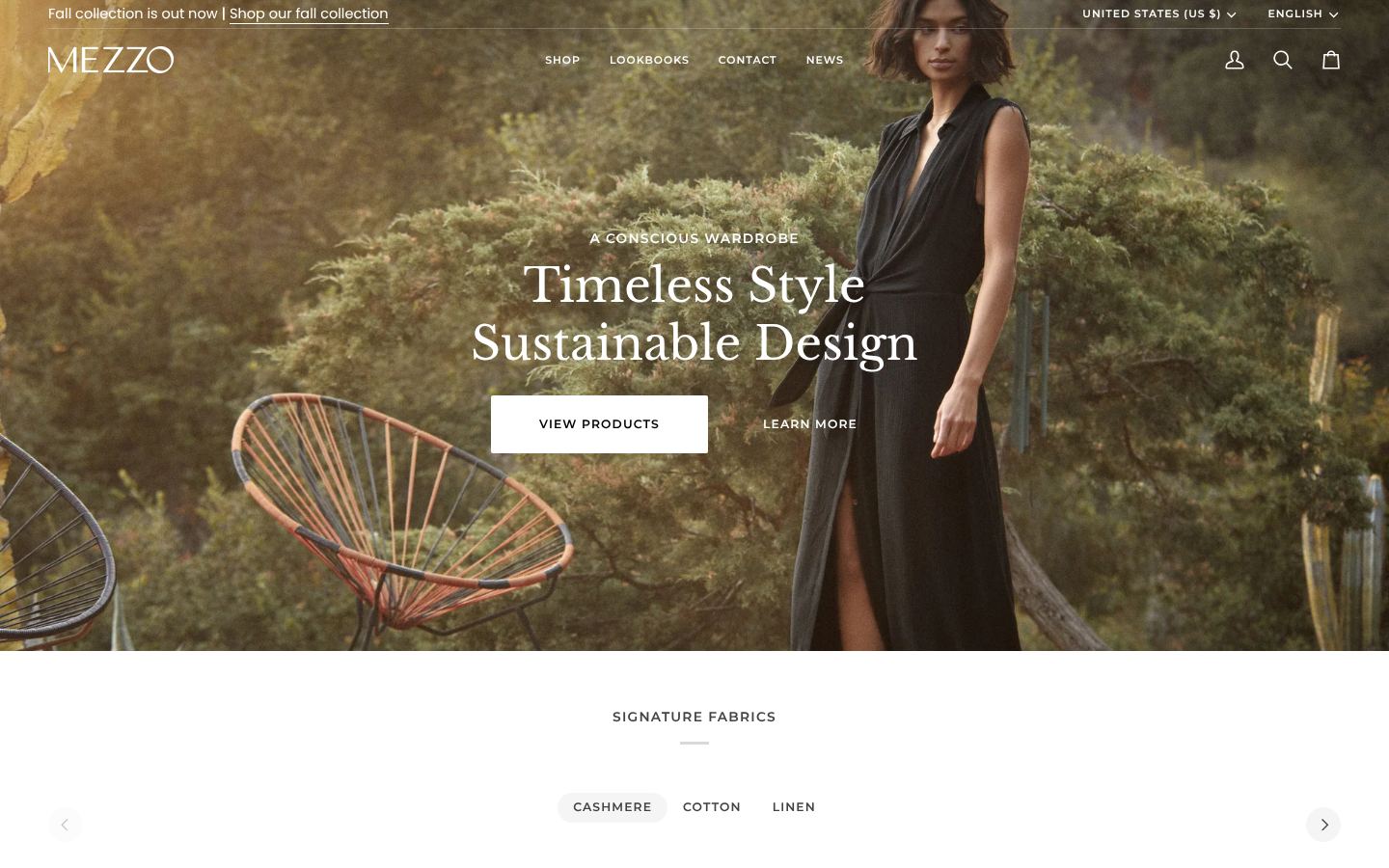
Groupthought describes Pipeline on the Theme Store as "a fashionable, feature rich theme designed for luxury brands", with a feature summary of "countdowns, hotspots, free shipping bars, popups, and announcements." The look is clean and image-led, and the theme leans on merchandising features such as lookbooks, image hotspots, a before/after image slider and product videos.
At a glance (from the Shopify Theme Store listing, checked 28 November 2026):
| Pipeline | |
|---|---|
Developer |
Groupthought (Whistler, Canada) |
Price |
$360 USD, one-time |
Current version |
8.2.0 (10 August 2026) |
Presets |
Pipeline, Petra, Pahoa, Phantom |
Theme Store reviews |
209, 97% positive |
Online Store 2.0 |
Yes |
Built-in translations |
English, French, Italian, German, Spanish |
Right-to-left support |
Yes |
Version 8.0.0 (June 2025) renamed the presets: Light became Pipeline, Clean became Petra, Bright became Pahoa and Dark became Phantom. It also made the Theme Store install set up a home page, header, footer and product page that match the preset you pick, so you start from the demo layout rather than a blank template.
You can see it on the Pipeline demo store.
About the developer: Groupthought
Groupthought designs and maintains premium Shopify themes. On its website it says it has done Shopify development since 2010, building custom stores before it made themes, and that its themes have been on the Shopify Theme Store since 2015. The Theme Store lists its address in Whistler, British Columbia, Canada.
It sells three themes: Pipeline, Story (for lookbook and editorial-style brands) and Analog. Groupthought sells its themes only through the Shopify Theme Store and states that copies bought anywhere else don't come with a license.
Pricing (4/5)
Pipeline costs $360 USD. It's a one-time payment with a lifetime license for your store, and you can try it free as a draft theme and only pay when you publish. Updates are free for licensed stores.
For context, that's $40 more than Warehouse and Focal ($320), $40 less than Prestige ($400), $60 less than Broadcast and Palo Alto ($420) and $140 less than Impulse ($500), all checked on the Theme Store on 28 November 2026.
Two things to know before you buy:
- The license covers one store. Groupthought's license page says each store needs its own license, and a license can only move to another store if you close the store that holds it.
- Groupthought checks licenses when you contact support, so a copy installed by an agency or bought on a marketplace won't get help or updates.
We think $360 is fair for what's included, especially the upselling tools that would otherwise mean one or two paid apps.
Ease of use (4/5)
Day to day, Pipeline is easy to run. Every main template is built from sections in Online Store > Themes > Customize, and version 8.2.0 added section categories to the theme editor, which makes the long section list easier to browse. Installing from the Theme Store now sets up the preset's own home page, header, footer and product page, so you aren't rebuilding the demo from scratch.
We dropped one point for two reasons. First, some of the stronger features, such as product siblings, pre-orders and tabs with metaobjects, depend on metafields or metaobjects, which takes setup in the Shopify admin as well as the theme editor. Second, Shopify doesn't update paid themes automatically. Groupthought's migration guide asks you to copy every JSON file in the templates folder to the new version, and its free support doesn't cover doing that for you.
Features (4.5/5)
Pipeline's feature list is long. These are the ones that matter most, all from the current Theme Store listing and Groupthought's documentation.
Four presets with matching layouts
Pipeline, Petra, Pahoa and Phantom give you a clean, light, bright or dark starting point. Since version 8.0.0, each installs with its own home page, header, footer and product page.
Upselling and cross-selling
This is where Pipeline stands out. The upselling docs cover complementary products, a "buy it with" block, cart upsells that help shoppers reach a free shipping threshold, upselling several products at once and quick view so shoppers can choose variants from a promotion.
Free shipping message
The announcement bar can show a live "spend X more for free shipping" message that updates as items go into the cart. You set the threshold in Theme settings > Cart, and you can target the bar by page, referrer or device.
Product siblings
Product siblings link separate products, such as each color of a shirt, and show them as swatches on one product page. Clicking a swatch shows only that product's images, details and price. Setup uses metafields; the siblings guide walks through it. Pipeline also supports Shopify's native swatches, high-variant products and combined listings (added in 8.1.0).
Merchandising
The listing includes lookbooks, image hotspots ("shop the look"), a before/after image slider, image galleries, image zoom, product videos, product tabs, size charts and shipping or delivery information. Tabs can pull content from metaobjects, so you edit shared content such as care instructions once.
Cart options
Choose a cart drawer, cart popup or full cart page. The cart page is built from sections, and the listing includes cart notes, in-store pickup, pre-orders, quick buy and Sign in with Shop.
Promotions
Countdown timers, promo banners, promo popups, in-menu promos, product badges, a stock counter and trust badges are all built in. The inventory message shows when stock is low (you set the trigger), and it only appears for products that track quantity and stop selling when out of stock.
Navigation and search
A mega menu with navigation images and collection blocks, a sticky header, breadcrumbs, predictive search, product filtering and sorting, and swatch filters. Collection pages can promote subcollections.
Translations and right-to-left support
Pipeline ships with English, French, Italian, German and Spanish, and supports right-to-left languages; version 7.6.0 improved right-to-left layouts.
Unit pricing
Version 8.2.0 added a "Show unit price" setting for product cards, useful for beauty and grocery products sold by volume or weight.
Customer service, support and documentation (4/5)
Support form
Groupthought handles support through the Pipeline support form and replies by email. It doesn't state response times or hours. To get a faster answer, include:
- Your store URL (storename.myshopify.com)
- Your theme version (shown under the ellipsis menu next to the theme name in the editor)
- A share preview link if the theme isn't published
- The storefront password if the store is password-protected (never your admin login)
- Screenshots of the issue
Support covers bugs and questions about the theme's settings and features. It doesn't cover third-party apps, installing theme updates, or custom code and design changes; Groupthought suggests a Shopify Expert for those.
Phone and social media support
Not available.
Documentation
The Pipeline documentation is one of the more complete we've seen: every section, theme setting, header option, product page feature, cart type, upsell and popup has its own page, plus a release log with dates. Sunbowl Academy also runs a Learn Pipeline course, linked from the docs.
Reviews on support
Recent Theme Store reviews (September 2025 to January 2026) praise quick help from the support team. The few negative reviews, mostly from 2023 and 2024, complain about slow or missing replies.
Reviews and testimonials (4.9/5)
As of 28 November 2026, Pipeline has 209 reviews on the Shopify Theme Store: 203 positive (97%), 1 neutral and 5 negative. That's a higher share of positive reviews than any of the alternatives in the table below.
Positive reviews mention how easy the theme is to customize and how quickly support helps. The most recent neutral review (June 2026) likes the design but wants the language and currency selectors moved from the footer to the header. The negative reviews are older and mention support response times, page speed and color options.
Pipeline vs similar themes
These are the Theme Store themes most often weighed against Pipeline by fashion and lifestyle brands. Facts are from the Shopify Theme Store, checked 28 November 2026.
| Theme | Developer | Price | Positive reviews |
|---|---|---|---|
Groupthought |
$360 |
97% |
|
Maestrooo |
$400 |
91% |
|
Archetype Themes |
$500 |
94% |
|
Presidio |
$420 |
94% |
|
Presidio |
$420 |
94% |
How we'd choose:
- Fashion or lifestyle brand that wants upselling built in: Pipeline.
- High-end brand, editorial look, budget for more: Prestige.
- Lots of promotions and sales events: Impulse, though it's the most expensive here.
- Big catalog with deep filtering: look at Warehouse or Empire instead; see our Warehouse theme review and Empire Shopify theme review.
- Tight budget: start with a free theme. Our Dawn theme review covers what you get for free.
Brands using the Pipeline theme
The Theme Store listing shows five example stores. We checked each one on 28 November 2026, and all five still run Pipeline:
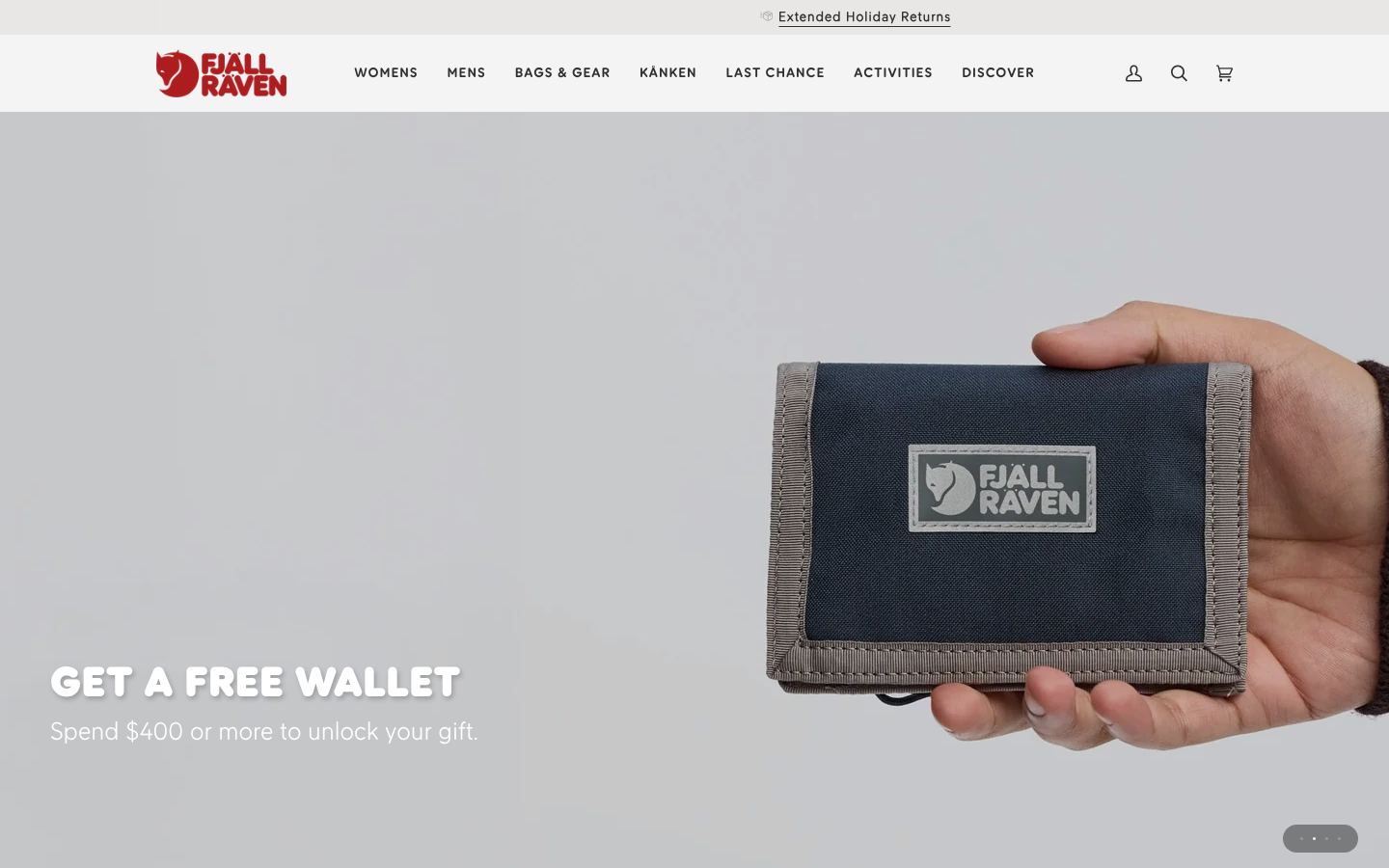
- Fjällräven Australia, outdoor clothing and gear (Pipeline 6.2.2, customized)
- Alias Mae, women's fashion shoes (Pipeline 8.1.1)
- Marnella, a macaron bakery in Stellenbosch, South Africa (Pipeline 6.4.0)
- United Boxing, boxing equipment and apparel (Pipeline 6.3.0)
- Sun Bleached, swimwear and beach apparel (Pipeline 6.4.0)
The mix shows Pipeline isn't only for fashion: a bakery runs it too. Four of the five are on older major versions, which is common: stores that customize a theme often stay on the version they launched with rather than migrate.
How to customize Pipeline
These tips come from Groupthought's own documentation and the theme's settings.
- Start from the right preset. Since 8.0.0 each preset installs its own layouts, so pick the one closest to your brand (Phantom for a dark look, Petra for minimal) and change colors and fonts in Theme settings > Color and Typography.
- Turn on the free shipping message. In the theme editor, open the Announcement bar, add or show the Free shipping message block, keep the
||amount||code in the text, and set the threshold in Theme settings > Cart. - Set up product siblings for colors. If each color is its own product, follow the siblings guide to connect them with metafields, then add the siblings block to the product page.
- Use the low-stock message honestly. Add the "Sizes and remaining" block to the product page, choose when it shows, and make sure the product tracks quantity.
- Reuse content with metaobject tabs. Put shipping, returns or care information in a metaobject and show it as a product tab, so one edit updates every product.
- Check the speed tips. Groupthought has docs on improving site speed and on optimizing product cards and collection pages; the product card swatch limit setting helps on products with many siblings.
- Duplicate before you update. Always duplicate your live theme, then follow the migration guide when moving to a new version.
Anything beyond the settings, such as custom sections or app integrations, falls outside Groupthought's support. A Shopify expert can take that on without breaking the rest of the theme.
Final verdict: is the Pipeline theme worth it?
Yes, for fashion, apparel, beauty and lifestyle brands with a small to mid-sized catalog. Pipeline combines a premium look with upselling, free shipping and promotion tools that many stores otherwise add with apps, it's updated regularly, and its 97% positive rating from 209 reviews is hard to argue with.
It's a weaker fit for stores with thousands of products that live on filters, where Warehouse, Expanse or Empire do more, and for teams that want phone or chat support. Since you can try it free and only pay when you publish, set it up with your own products before you decide.





 Request to Join