


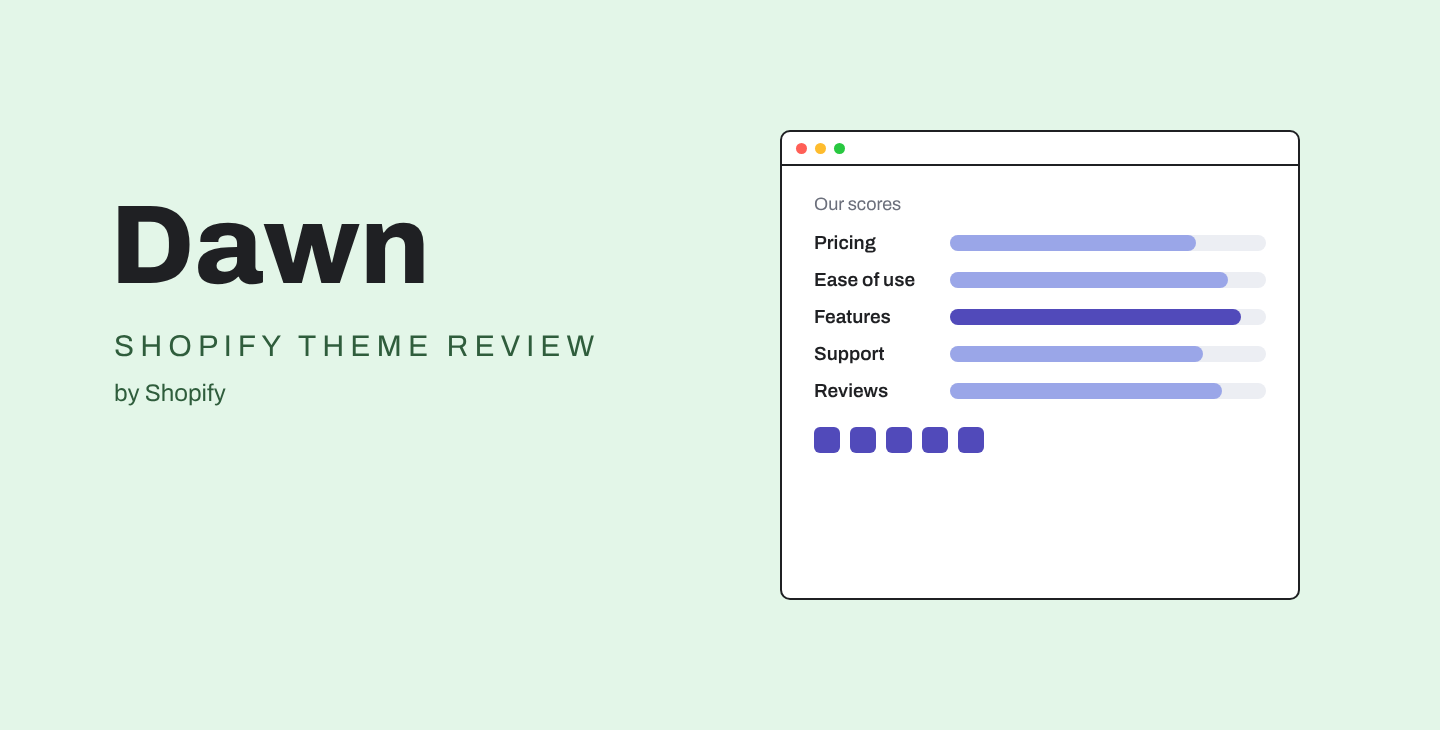
The Dawn Shopify theme is Shopify's own free theme, built for small and medium catalogs that want a clean, image-led store without paying for a premium theme. In this Dawn theme review we cover the current version (16.2.0, November 2026), what's included, what merchants say about it, how it compares with Horizon, and whether Dawn is worth it for your store.
We review popular Shopify themes as Shopify experts who work in them every week. You can also read what merchants say in our Dawn theme reviews.
Our scores below are our editorial judgement, based on the Theme Store facts checked on 28 November 2026 and on our own work in the theme.
| Category | Score |
|---|---|
Pricing |
5/5 |
Ease of use |
4.5/5 |
Features |
3.5/5 |
Support |
3.5/5 |
Reviews |
2.5/5 |
Pros
- Free, with no license to buy for each store
- Made and updated by Shopify: five releases so far in 2026
- Clean, fast-loading starting point that puts product images first
- Source code on GitHub, and most Shopify developers already know it well
Cons
- One style only, with no presets to start from
- Fewer built-in sales features than paid themes: no quick view, slide-out cart, stock counter or countdown timer in its listing
- Theme Store rating is low: 35% positive from 293 reviews
- Major updates can remove things you rely on (version 16.0.0 removed the legacy customer account pages)
Dawn theme overview
Shopify describes Dawn as "a minimalist theme that lets product images take center stage." It launched in 2021 as Shopify's reference theme for Online Store 2.0, and its GitHub readme still calls it "a reference for building Shopify themes." Every main template is built from sections you add, remove and reorder in the theme editor.
At a glance (from the Shopify Theme Store listing, checked 28 November 2026):
| Detail | Dawn |
|---|---|
Developer |
Shopify |
Price |
Free |
Current version |
16.2.0 (16 Nov 2026) |
Presets |
One (Dawn) |
Theme Store reviews |
293, 35% positive |
Online Store 2.0 |
Yes |
You can see it on the Dawn demo store.
Dawn is still actively developed. The Theme Store release notes list five versions in 2026: 15.5.0 (June), 16.0.0 (August), 16.1.0 (October), 16.1.1 and 16.2.0 (November). The latest adds an option to show physical stores that hold a product in stock in the product page pickup drawer, even if those stores don't offer pickup.
About the developer: Shopify
Dawn is designed by Shopify, listed on the Theme Store with Shopify's Ottawa address. Because Shopify builds the platform and the theme, Dawn tends to get new platform features early: recent versions added support for agent and app cart interactions without page reloads (15.5.0), product disclosures filtered by the buyer's jurisdiction (16.1.0) and Shopify's newer customer accounts (16.0.0).
The code is published at github.com/Shopify/dawn, under Shopify's own license. Developers use it to see how a theme is meant to be built, and plenty of themes and custom builds started as a copy of Dawn.
Shopify also makes Horizon, a newer free theme first released on 21 May 2025, and a set of themes in the Theme Store's Horizon collection. Two other free Shopify themes, Craft and Sense, show the same version number and release date as Dawn (16.2.0, 16 November 2026), so they appear to share Dawn's code with a different design.
Pricing (5/5)
Dawn is free. There's no one-time fee and no per-store license, so you can add it to every store you run, including expansion stores.
That's the reason it scores full marks here: you get a maintained Online Store 2.0 theme for nothing. What you trade is built-in features. Paid themes such as Prestige ($400) or Warehouse ($320) include sales tools Dawn leaves to apps, and some of those apps carry monthly fees. If you'd need three or four paid apps to get what a premium theme includes, compare the yearly app cost with the one-time theme price before you decide. Our free vs paid themes guide goes through that sum.
Ease of use (4.5/5)
Dawn is one of the easiest themes to learn. The theme editor has fewer settings than most premium themes, so there's less to get lost in, and the main global settings sit in Theme settings: logo, colors, typography, layout, buttons, cards, badges, cart, drawers and animations.
Two things cost it half a point:
- With only one style and no presets, you build the look yourself. Fine for a simple brand; slower if you want a very specific layout.
- Big version upgrades need care. Version 16.0.0 (August 2026) removed the legacy customer account templates, and Shopify's release notes say stores on legacy customer accounts must upgrade to new customer accounts before publishing that version. If your store has custom code in theme files, plan time to move it over on each major update.
Features (3.5/5)
Dawn covers what most small stores need. Every feature below is listed on the current Theme Store page.
Online Store 2.0 sections and app blocks
Sections work on every main template, and compatible apps add blocks without code edits. Dawn's code also includes a Custom Liquid section and block for small snippets.
Media-forward product pages
Product pages are built around large media, with image galleries, image zoom, product videos and high-resolution images. Shopify describes the aim as helping customers "see what products look like and get a sense of how they feel."
Product information blocks
Dawn lists size charts, shipping and delivery information, usage information and ingredients or nutritional information. In the product page section these are collapsible row blocks, which you can fill from metafields.
Color swatches and product options
Swatches show on product pages and in collection filters, and product options can display as buttons or dropdowns.
Product filtering, search and mega menu
Collection pages support filtering and sorting with swatch filters. Search shows results as the visitor types, and the header supports a mega menu with a sticky header.
Quick buy and in-store pickup
Shoppers can add items from collection pages with quick buy, and cart notes and in-store pickup are included.
Marketing sections
Blogs, promo banners, cross-selling and recommended products, a FAQ page, press coverage, lookbooks and slideshows are all on the list.
What Dawn doesn't list
Compared with Horizon's Theme Store listing, Dawn's doesn't include quick view, a slide-out cart, recently viewed products, a stock counter, product badges, in-menu promos, back-in-stock alerts, pre-orders, infinite scroll, combined listings or built-in EU translations. Some of these you can get with apps or custom code; some you get by switching to Horizon or a paid theme.
Customer service, support and documentation (3.5/5)
Shopify Support
Dawn's "Get support" link on the Theme Store goes to Shopify Support. That's the same support you get for the rest of your store, so there's no separate theme developer to contact.
Documentation
Shopify keeps Dawn documentation in the Shopify Help Center, and each release has notes on the Theme Store listing under All versions. Developers can read the code and contribution guide on GitHub.
Community help
Because Dawn is so widely used, the Shopify Community has a lot of Dawn threads, and many tutorials online are written for it. That's a real advantage over a niche theme.
We score support 3.5 because general Shopify Support doesn't go as deep on one theme as a dedicated theme developer's support team usually does, and recent reviews (below) suggest update problems are the main pain point.
Other ways to get help
- Shopify Community: search existing Dawn threads or ask a question.
- HeyCarson: hire a vetted Shopify expert to set up or customize Dawn.
Reviews and testimonials (2.5/5)
As of 28 November 2026, Dawn has 293 reviews on the Shopify Theme Store: 35% positive (104), 25% neutral (73) and 40% negative (116). You can read them all on the listing.
Positive reviews mention that the theme is free and has improved over the years. Negative ones mostly complain that updates broke something on their store, or ask for features Dawn doesn't have, such as better search for size-based products. Low scores are common for Shopify's free themes: Horizon is also at 35% positive (216 reviews), Sense at 36% (74) and Craft at 56% (50). In our view, free themes attract a lot of first-time merchants, and many reviews are about Shopify itself as much as the theme. Even so, a 40% negative share is a signal to test updates carefully.
Dawn vs similar themes
These are the themes merchants most often weigh against Dawn. Prices and ratings are from the Shopify Theme Store, checked 28 November 2026.
| Theme | Developer | Price | Positive reviews |
|---|---|---|---|
Shopify |
Free |
35% |
|
Shopify |
Free |
35% |
|
Shopify |
Free |
56% |
|
Clean Canvas |
$420 |
94% |
Dawn vs Horizon
Horizon is Shopify's newer free theme, first released on 21 May 2025 and on version 4.5.0 (10 November 2026). Shopify describes it as "polished design meets a clean setup" and says the Horizon collection uses nested theme blocks, which let you put blocks inside blocks to build layouts without code. Its Theme Store listing adds quick view, a slide-out cart, recently viewed, stock counter, product badges, in-menu promos, back-in-stock alerts, pre-orders, infinite scroll, combined listings, Sign in with Shop and EU translations, none of which appear on Dawn's listing.
Horizon isn't a clear win, though. Its Theme Store rating is the same 35% positive, and two of its most recent reviews (November 2026) say the 4.5 update broke their layout or didn't carry custom code across. Dawn has had four more years for developers, apps and tutorials to build around it.
How we'd choose:
- New store, no developer, wants more built in: try Horizon first.
- Existing Dawn store that works: stay on Dawn and keep it updated; switching themes means rebuilding your pages.
- Lots of custom code or a developer on hand: Dawn, because the code is public and widely understood.
- Ready to pay for features and dedicated support: a premium theme such as Prestige for brand-led stores, Warehouse for big catalogs, or Symmetry.
Brands using the Dawn theme
The Dawn Theme Store listing doesn't show example stores the way paid theme listings do, so we haven't named stores here. Live stores change themes often. To check whether a store runs Dawn, view its page source and search for Shopify.theme; the schema_name value shows the theme it's built on.
How to customize Dawn
These tips come from Dawn's own settings and release notes.
- Set the global look first. In Online Store > Themes > Customize > Theme settings, set colors (Dawn uses color schemes you apply per section), typography, buttons and cards before you touch individual sections. It saves redoing every page later.
- Use metafields for product details. Size charts, ingredients and shipping notes work best as collapsible rows filled from product metafields, so each product shows its own content without a new template.
- Create alternate templates. For a landing page or a special product, create a new template in the theme editor rather than editing the default, so the rest of the store stays the same.
- Put small code in Custom Liquid. For a tracking snippet or a small embed, use the Custom Liquid section instead of editing theme files; it survives updates more easily.
- Duplicate before you update. Before a major version, duplicate your live theme, update the copy, and check it. Read the release notes first: 16.0.0 needs new customer accounts.
If you need changes beyond the settings, a Shopify expert can build them without breaking future updates.
Final verdict: is the Dawn theme worth it?
Yes, for a new or small store that wants a clean, maintained theme without spending money. Dawn is free, quick to learn, updated regularly by Shopify, and easy for any Shopify developer to work on. Its low Theme Store rating is a fair warning about updates, not a reason to avoid it, as long as you test each update on a copy first.
It's less of a fit if you want quick view, a slide-out cart, stock counters or a ready-made luxury look without apps. Try Horizon for more built-in features at the same price, or move to a paid theme when your catalog and budget grow. Since every theme can be tried before you publish, set Dawn and Horizon up side by side with your own products and pick the one that shows them better.





 Request to Join