


The Symmetry Shopify theme is a $420 theme by Clean Canvas, built for fashion and accessories brands with a growing catalog that need good filtering, swatches and promotion tools. As of 28 November 2026 it's on version 8.3.2, has five presets and holds a 94% positive rating from 392 reviews on the Shopify Theme Store. In this Symmetry theme review we cover what it costs, its features, how support works, who it suits, and whether Symmetry is worth it for your store.
We review popular Shopify themes as Shopify experts who work in them every week. To see what merchants say, read our Symmetry theme reviews.
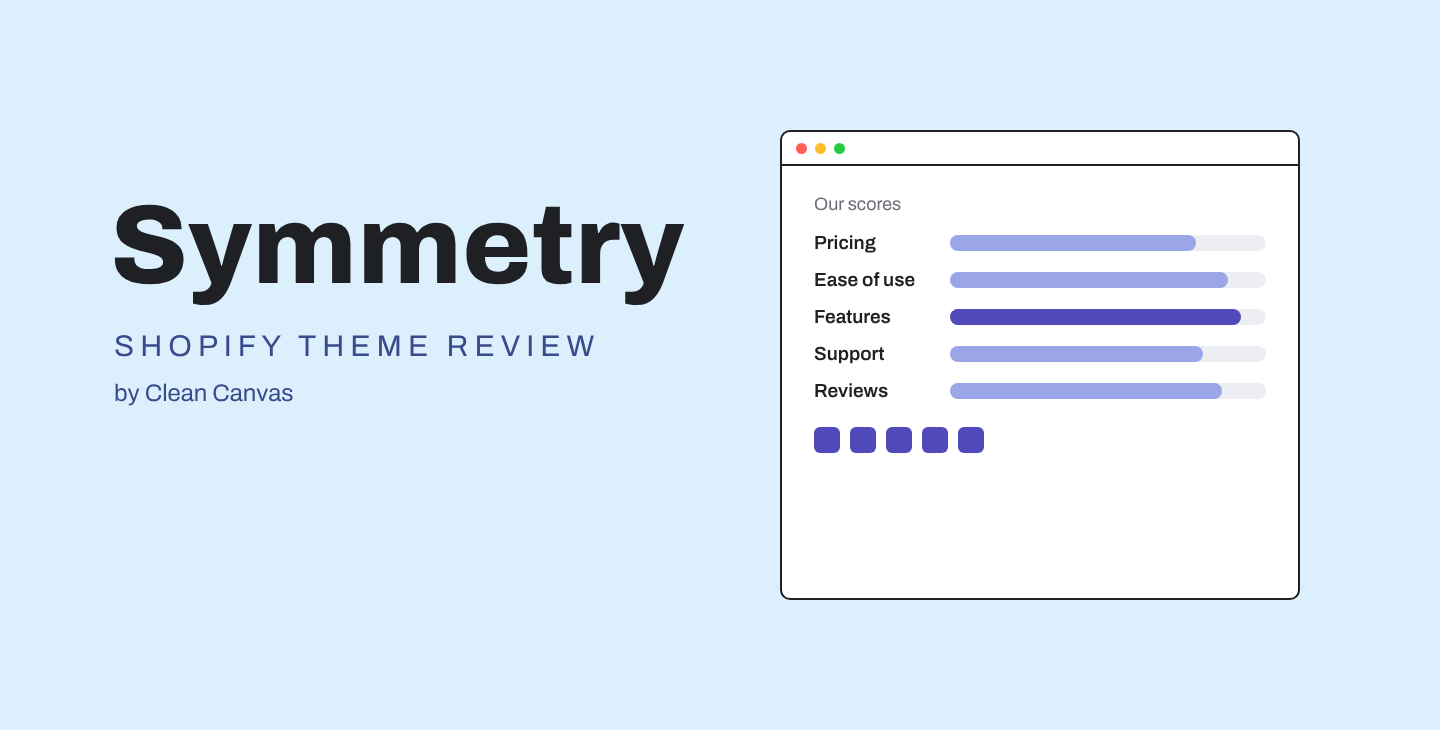
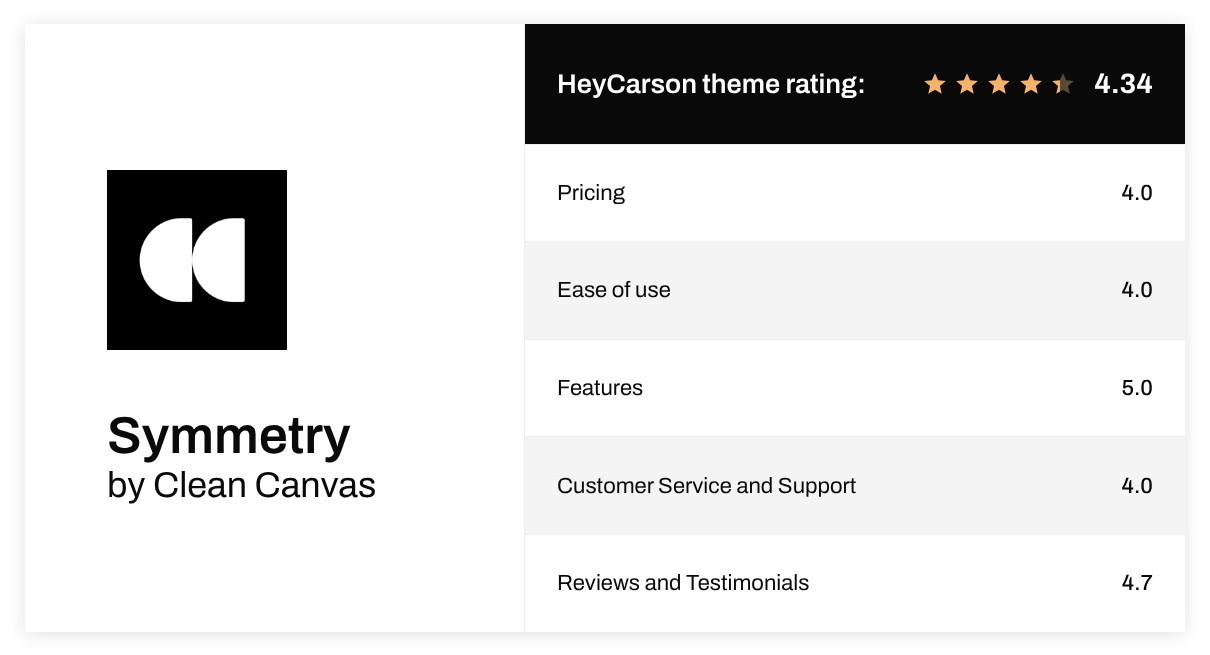
Our scores are editorial judgement, based on the facts we checked on the Theme Store and Clean Canvas's help center:
Pros
- Five presets, all built on the same core theme, so every guide applies to all of them
- Strong product discovery: filtering, swatch filters, mega menu, subcollections and enhanced search
- Fashion-ready product pages: size guide builder with a unit converter, swatches, hotspots and product tabs
- Updated often: four releases in 2026 so far, with a public changelog
Cons
- $420 is at the upper end for a single-store license
- Support is email-based, in English only, on UK weekday hours
- So many settings that new users can take a while to find their way around
Symmetry theme overview
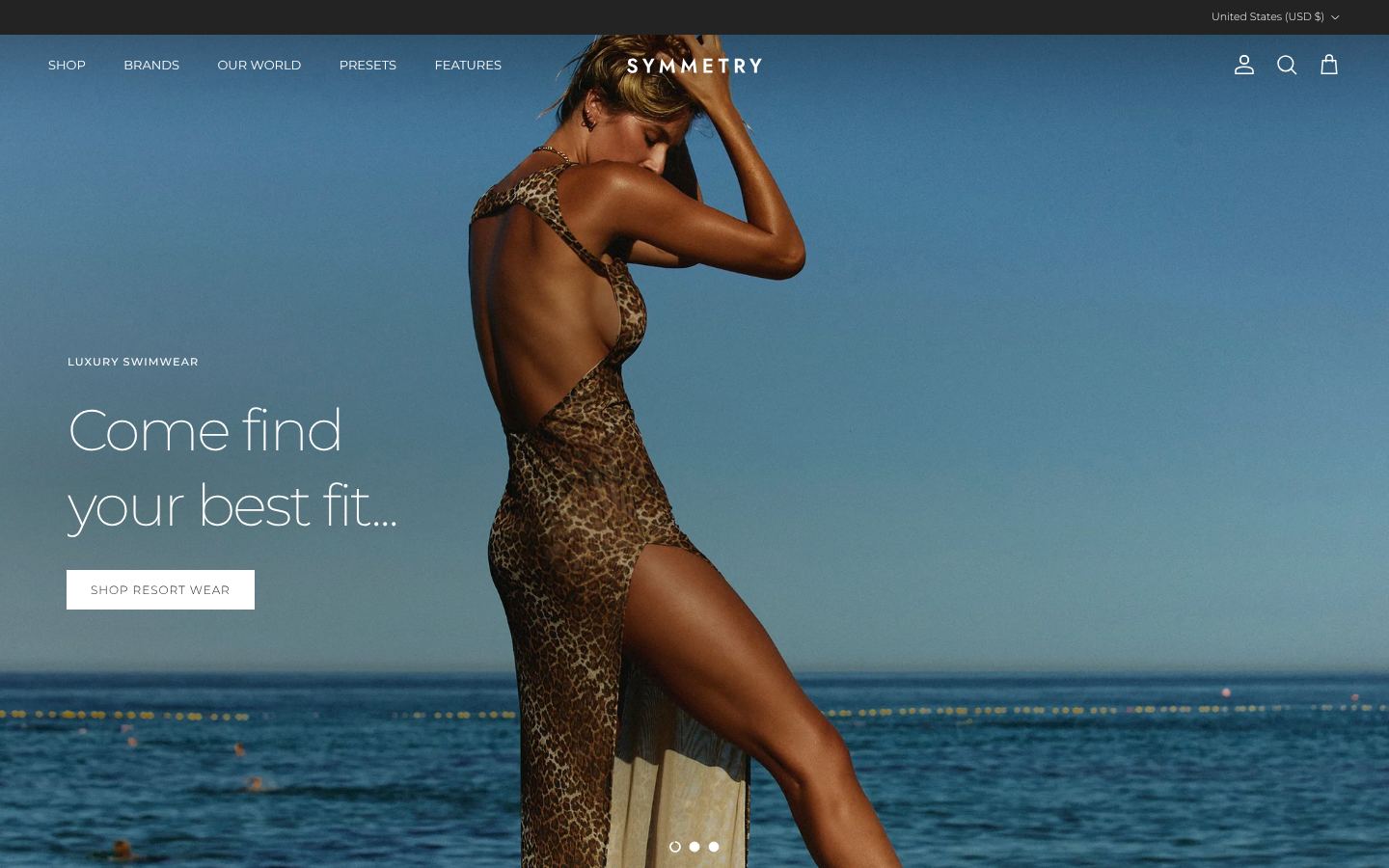
Clean Canvas describes Symmetry as "one of the all-time best selling Shopify themes ever" and says it runs on over 70,000 stores (a claim on the Theme Store listing that we can't check independently). The Theme Store pitches it at fashion stores, and the developer's help center calls it "a flexible conversion-focused Shopify theme for fashion, health and beauty."
This table sums up the listing on the Shopify Theme Store, checked 28 November 2026:
| Detail | Symmetry |
|---|---|
Developer |
Clean Canvas |
Price |
$420 USD, one-time |
License |
Lifetime, one store |
Current version |
8.3.2 (3 July 2026) |
Presets |
Symmetry, Salt Yard, Beatnik, Duke, Amara |
Theme Store reviews |
392, 94% positive |
Online Store 2.0 |
Yes |
Built-in translations |
EN, FR, IT, DE, ES |
Symmetry has been around a long time. The public Symmetry release notes go back to version 5.2.0 in February 2022, and the theme moved to version 8.0.0 in June 2025. The newest preset, Amara, arrived with version 8.2.0 in February 2026.
Since Shopify's 2025 Theme Store redesign, each preset is listed like a separate theme. Clean Canvas explains in its Symmetry theme suite guide that Symmetry, Salt Yard, Beatnik, Duke and Amara are all the same core theme, and the same user guides apply to each.
About the developer: Clean Canvas
Clean Canvas says on its website that it has made "premium themes built to scale since 2009," and the Theme Store listing describes it as a Shopify theme partner "with over 16 years of experience." Its themes include Symmetry, Beautify, Enterprise, Canopy, Showcase, Boost, Alchemy, Masonry, Expression and Mode.
The Theme Store lists Clean Canvas's contact address in Vancouver, Canada. Its website also sells themes from Archetype Themes, Out of the Sandbox and Pixel Union, and the Symmetry listing pairs the theme with the Theme Updater & Backups app from Out of the Sandbox. If you've used Impulse or Expanse, the buying and update experience will feel familiar.
Pricing (4/5)
Symmetry costs $420 USD. It's a one-time payment with a lifetime license for your store, and like every paid Theme Store theme you can try it for as long as you like and only pay when you publish.
That puts it level with Archetype's Expanse and Motion and Presidio's Broadcast, $20 above Maestrooo's Prestige and Impact, and $80 below Impulse. You get a lot for it, but a small store with a handful of products will pay for features it doesn't use.
Two things to know before you buy:
- The license covers one store. Clean Canvas's support terms say updates are free for the store the theme was bought for, and a transfer to a new store is possible only when the original store is permanently closed (Shopify handles this, not Clean Canvas).
- Clean Canvas doesn't sell themes directly. You can only buy Symmetry on the Theme Store.
We've given pricing 4/5: fair for what's included, but not cheap.
Ease of use (4/5)
Day to day, Symmetry works like any Online Store 2.0 theme. You build pages from sections in Online Store > Themes > Customize, and switch between preset styles under Theme settings > Theme style. Clean Canvas warns that changing style resets some settings, though no store content is lost.
The catch is the sheer number of settings. Swatches, product labels, size guides and subcollections each have their own setup steps, some using metafields. One Theme Store reviewer said the theme offers so many features they weren't sure how to navigate it efficiently. The help center covers each feature step by step, so plan time to read it. If you'd rather skip that, a Shopify expert can set it up for you.
Features (5/5)
Symmetry's feature list on the Theme Store is long. These are the ones that matter most, all taken from the current listing and Clean Canvas's documentation.
Five presets
Symmetry, Salt Yard, Beatnik, Duke and Amara give five different starting looks. Clean Canvas's suite guide says they're tailored to fashion, jewelry and accessories, and you can change fonts, colors and layouts after you pick one.
Product filtering, swatch filters and subcollections
Collection pages include filtering and sorting, swatch filters and breadcrumbs. A subcollections feature shows related collections at the top of a collection page as an image gallery or buttons, chosen per collection with a collection list metafield. This is where Symmetry earns its "large inventories" label.
Mega menu, enhanced search and sticky header
A mega menu with in-menu promos, search that shows results as you type, and a sticky header help shoppers move through a big catalog.
Swatches
Swatches can show in the variant picker, on product cards and in filters. They support colors, custom swatch images, variant images and Shopify's native swatches (set through the color category metafield).
Size guide builder
Added in version 8.2.0, the size guide section supports multiple tabs with images, text, tables and a unit converter, shown on the page or in a popup. A simpler method shows a normal Shopify page in a popup instead. For clothing and footwear stores this replaces a size-chart app.
Product page tools
The listing includes product tabs, image zoom, image hotspots, image rollover, product videos, color swatches, usage and nutritional information blocks, and shipping and delivery information. Lookbooks and a "shop the look" section let you sell from lifestyle images.
Promotions and conversion
Promo banners, promo popups, promo tiles, a countdown timer, product badges, a stock counter, trust badges and press coverage are all built in. Product labels can show over the product image or beside the price, with rules for reductions, new arrivals and low stock.
Cart and checkout
A slide-out cart, sticky cart, cart notes, quick buy, quick view, pre-order support, in-store pickup and Sign in with Shop. Version 8.3.0 added support for Shopify's new customer account login.
Translations and right-to-left
Symmetry includes translations for English, French, Italian, German and Spanish, and supports right-to-left languages.
Shopify Plus features
On Shopify Plus, Symmetry supports combined listings.
Customer service, support and documentation (4/5)
Email support
Clean Canvas's contact page says its support team works Monday to Friday, 09:30 to 17:00 UK time, excluding UK public holidays. It doesn't publish a response time.
Its support terms cover theme features, settings and bugs in the theme as originally supplied. They don't cover:
- Customization requests or custom code
- Issues caused by apps, app integrations or "AI customizations"
- Versions from before Online Store 2.0, or versions more than three years older than the latest
- Support in languages other than English
Problems with checkout, the Shopify admin or theme purchases go to Shopify support.
Phone and live chat
Not available.
Documentation
The Symmetry documentation is detailed, with step-by-step guides for each section and setting, a performance guide, an SEO guide and a technical guide to theme JavaScript events. The release notes list every version with dates.
Other ways to get help
- Shopify Community: search for existing Symmetry threads or ask other merchants.
- HeyCarson: hire a vetted Shopify expert to set up or customize the theme.
We've given support 4/5: clear documentation and positive reviews of the team, held back by email-only, UK-hours support.
Reviews and testimonials (4.7/5)
As of 28 November 2026, Symmetry has 392 reviews across its presets on the Shopify Theme Store: 94% positive (370), 2% neutral (7) and 4% negative (15).
Positive reviews mostly praise the flexibility and the support team; one reviewer wrote that "the support team is fast and really solve your problems." The mixed reviews tend to mention the learning curve that comes with so many settings. A 94% rating across nearly 400 reviews is among the strongest for a theme at this price, so we've scored it 4.7.
Symmetry vs similar themes
These are Theme Store themes merchants often weigh against Symmetry. Prices and ratings are from the Shopify Theme Store, checked 28 November 2026:
| Theme | Developer | Price | Positive reviews |
|---|---|---|---|
Clean Canvas |
$420 |
94% of 392 |
|
Archetype Themes |
$500 |
94% of 1,306 |
|
Maestrooo |
$400 |
91% of 879 |
|
Archetype Themes |
$420 |
93% of 341 |
|
Presidio |
$420 |
94% of 288 |
How we'd choose:
- Fashion or accessories with lots of variants and sizes: Symmetry. The size guide builder, swatches and subcollections are hard to beat at this price.
- Fashion with heavy promotions: Impulse costs more but is built around promo tiles, popups and countdowns. See our Impulse theme review.
- High-end, editorial brand look: Prestige. See our Prestige Shopify theme review.
- Very large catalog, any industry: Expanse or Maestrooo's Warehouse. See our Expanse review and Warehouse review.
- Same price, more sales tools: Broadcast. See our Broadcast Shopify theme review.
- Tight budget: start with a free theme. Our Dawn Shopify theme review covers what you give up.
Brands using the Symmetry theme
The Theme Store listing shows five stores as examples. We checked each one live on 28 November 2026, and all still run Symmetry, though most aren't on the latest version:
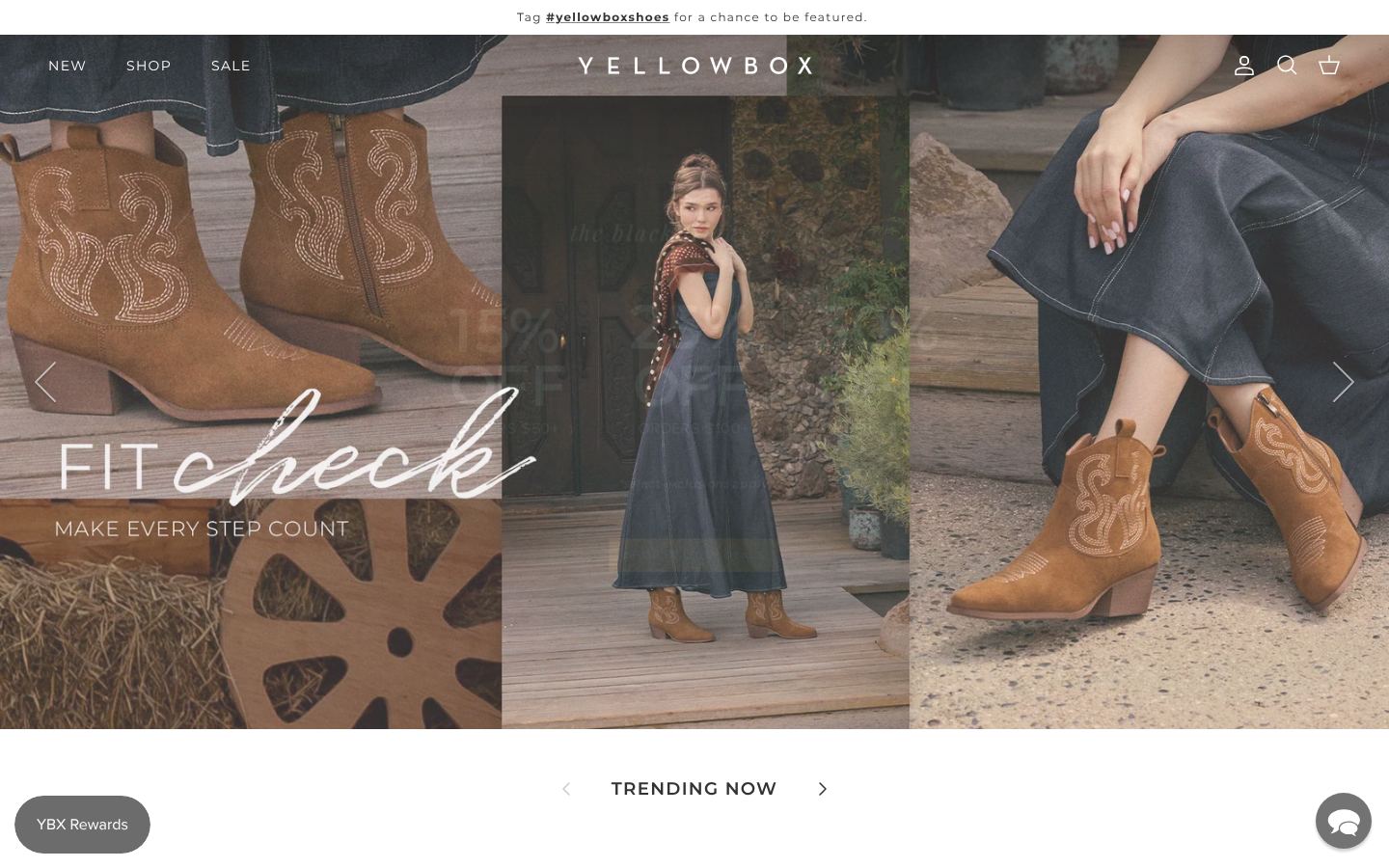
- Yellow Box Footwear: women's shoes, on Symmetry 8.0.0.
- TRNDA: watches and accessories, on Symmetry 8.2.0.
- Goondiwindi Cotton: Australian women's fashion in cotton and linen, on Symmetry 7.2.1.
- Type 2 Campers, on Symmetry 6.0.3.
- LittleHowdy: kids' tees, apparel and accessories, on Symmetry 5.5.1.
The spread of versions is worth noting. Several of these stores are one or more major versions behind, which usually happens when a store has been customized and updating takes work. Clean Canvas's support terms don't cover versions more than three years older than the latest, so plan updates rather than letting them pile up.
How to customize Symmetry
These tips come from Symmetry's own settings and Clean Canvas's documentation.
Pick the right preset, then change style if needed
Choose the preset closest to your brand before you start building. If you change your mind, go to Theme settings > Theme style and pick another style, but do it early: some settings reset when you switch.
Set up swatches once, in theme settings
Go to Theme settings > Swatches and choose whether to use Shopify's native swatches or the theme's own. Shopify swatches use the color category metafield, so they carry across to filters and product cards without extra setup.
Build a size guide with the section
Use the size guide section rather than a plain page if you need tabs, tables and a unit converter. If different products need different guides, Clean Canvas's guide explains how to link a guide to each product with a metafield.
Use subcollections on big collections
On collection templates, open Collection pages > Related collections / Subcollection and connect a collection list metafield so each collection shows its own set of links.
Keep the home page lean
Clean Canvas's performance guide says apps are "the single biggest reason" a theme runs slower than it should, and recommends keeping the home page simple. Remove leftover code from uninstalled apps, and test speed on the published theme rather than in preview mode.
Update on a schedule
Updates are free from the Theme Store. Clean Canvas's update guide explains the process; you may need to copy settings and any custom code across to the new version. Our guide to updating your Shopify theme without losing anything walks through it.
Final verdict: is the Symmetry theme worth it?
Yes, for fashion, footwear, jewelry and accessories brands with a growing catalog. Symmetry combines strong product discovery (filters, swatch filters, subcollections, mega menu) with product page tools clothing stores need, such as the size guide builder and swatches, and it has a 94% positive rating from nearly 400 reviews. It's updated regularly, with a public changelog.
It's less of a fit if you sell a few products, want a very editorial look, or need support outside UK office hours. At $420 you're paying for a lot of features, so use the free trial with your own products before you publish.






 Request to Join