


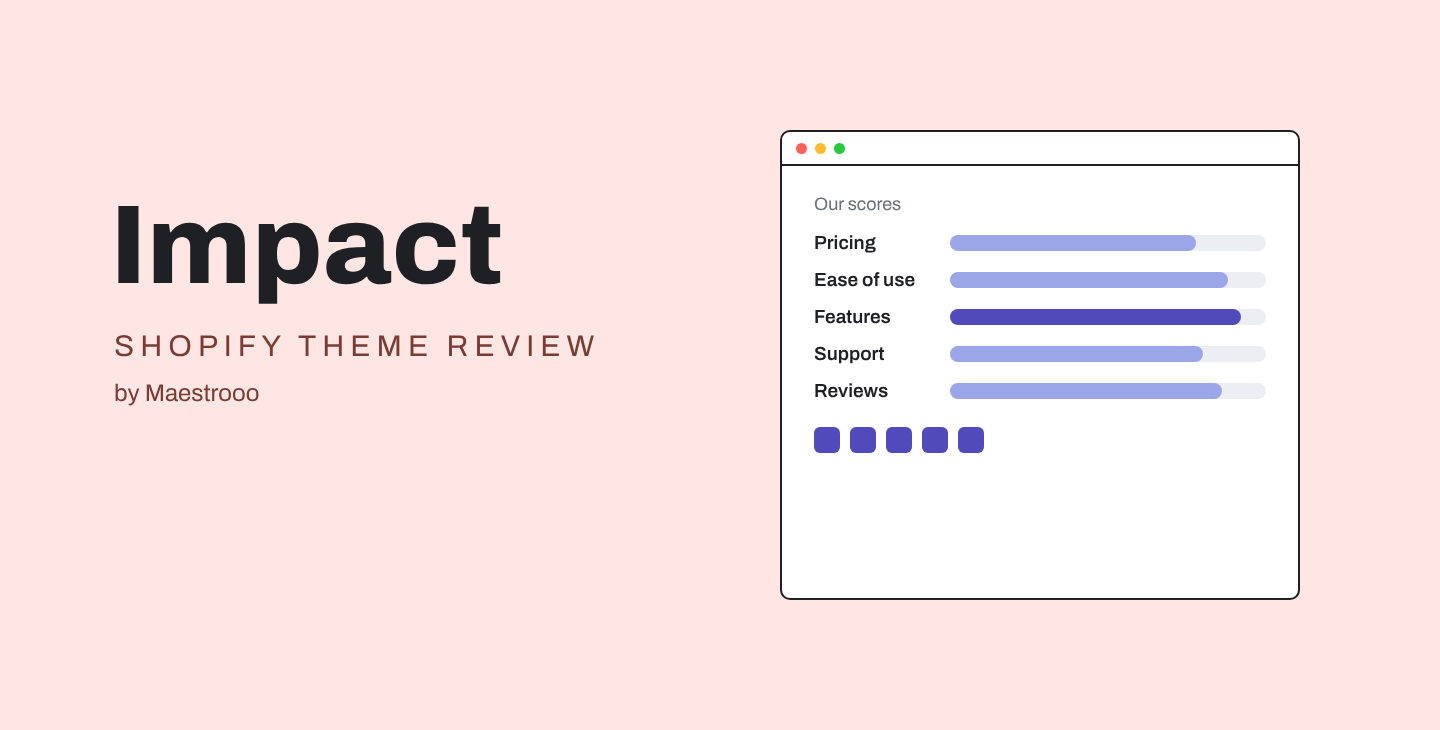
The Impact Shopify theme is a $400 theme by Maestrooo, built for brands that sell on bold visuals, video and big headlines, with a small to medium catalog. As of 28 November 2026 it's on version 7.2.0, has three presets and holds an 85% positive rating from 201 reviews on the Shopify Theme Store. In this Impact theme review we cover what it costs, its features, how support works, who it suits, and whether Impact is worth it for your store.
We review popular Shopify themes as Shopify experts who work in them every week. To see what merchants say, read our Impact theme reviews.
Our scores are editorial judgement, based on the facts we checked on the Theme Store and Maestrooo's help center:
| Criteria | Score |
|---|---|
Pricing |
4/5 |
Ease of use |
4.5/5 |
Features |
4.5/5 |
Support |
4/5 |
Reviews |
4.2/5 |
Pros
- Over 35 sections, including media-heavy ones such as before/after image sliders and image hotspots
- Conversion features on every page: quick buy, sticky add to cart, complementary products
- A comparison table section for comparing up to three products
- Demo stores built only from theme sections, with no apps, so what you see is what you get
Cons
- 85% positive is lower than most themes at this price
- Support is through a contact form only, with no phone or chat
- Version history isn't easy to read: release notes sit inside the Theme Store listing
Impact theme overview
Maestrooo describes Impact as a "bold design made for entertainment and audio brands." The Theme Store listing highlights gradients, big headings and subtle animations, "over 35 sections," and conversion tools such as quick buy on collection pages, sticky add to cart and complementary products on product pages.
This table sums up the listing on the Shopify Theme Store, checked 28 November 2026:
| Detail | Impact |
|---|---|
Developer |
Maestrooo (Paris, France) |
Price |
$400 USD, one-time |
License |
Lifetime, one store |
Current version |
7.2.0 (6 July 2026) |
Presets |
Impact, Cocoon, Balance |
Theme Store reviews |
201, 85% positive |
Online Store 2.0 |
Yes |
Built-in translations |
EN, FR, IT, DE, ES |
Despite the "entertainment and audio" pitch, Impact isn't limited to one industry. The Theme Store also lists it under electronics, and the example stores on its listing sell drinkware, cleaning products and bags. Since Shopify's 2025 Theme Store redesign, each preset is listed like a separate theme, but Cocoon and Balance are presets of the same core Impact theme.
About the developer: Maestrooo
Maestrooo is a Shopify theme and app studio based in Paris. Its current Theme Store themes are Impact, Warehouse, Focal, Prestige and Stretch; you can see them all on the Theme Store. Impact, Prestige and Stretch sit at $400, while Warehouse and Focal cost $320.
All five share the same help center, support team and theme structure, so if you've used Warehouse or Prestige, Impact's settings will feel familiar. The Impact listing pairs the theme with the Wishlist Power app as an optional add-on.
Pricing (4/5)
Impact costs $400 USD. It's a one-time payment with a lifetime license for your store, and like every paid Theme Store theme you can try it for as long as you like and only pay when you publish.
That's the same as Prestige and Stretch, $80 more than Warehouse and Focal, and $20 less than Archetype's Motion. Maestrooo's licensing guide adds a few details worth knowing:
- A license covers one store. Running several markets on one Shopify store needs one license; separate stores per market need one each.
- Agencies can install the theme on a password-protected development store for free, as long as it's bought on the production store.
- Maestrooo can't offer refunds, discounts or bulk purchases. Shopify controls all theme purchases.
We've given pricing 4/5: fair for the section library, but $80 more than Maestrooo's own Focal, which covers a lot of the same ground.
Ease of use (4.5/5)
Impact is one of the easier premium themes to work with. Every template is built from sections you add, remove and reorder in Online Store > Themes > Customize, and Maestrooo's demo store reference lists exactly which sections each demo home page uses. The demos are built "entirely using the theme sections, without any apps," so you can rebuild what you see without buying anything else.
Where you may need help is anything beyond the built-in settings. Maestrooo's support doesn't cover custom CSS, new sections or app integrations. If you don't have a developer, a Shopify expert can handle that work without breaking the rest of the layout.
Features (4.5/5)
These are the features that matter most, all taken from the current Theme Store listing and Maestrooo's documentation.
Three presets
Impact, Cocoon and Balance give three different starting looks. Colors, fonts and layouts can all be changed afterwards.
Over 35 sections
The listing says Impact has "over 35 sections," which is the main reason to choose it. Maestrooo's demo reference notes the main demo home page uses 16 sections, and recommends keeping to about 15 for performance.
Media sections
Merchandising features include a slideshow, image hotspots, image galleries, image zoom and rollover, product videos, lookbooks and a before/after image slider. Animation is built in, which is where the "impactful" look comes from.
Comparison table
A comparison table section, which Maestrooo says is only available in Impact, compares details for up to three products. Values can be typed in or connected to metafields. A simpler specifications table section covers single products.
Quick buy, sticky add to cart and complementary products
Shoppers can add products from collection pages with quick buy, and a sticky add to cart bar stays on screen on product pages. Complementary products on product pages suggest add-ons.
Product discovery
Collection page navigation, product filtering and sorting, swatch filters, enhanced search, a mega menu and a sticky header.
Promotions and trust
Promo banners, promo tiles, in-menu promos, product badges, trust badges and press coverage. Unlike Symmetry, Impact's listing doesn't include a countdown timer, promo popups or a stock counter.
Cart and checkout
A slide-out cart, sticky cart, cart notes, quick view, pre-order support and in-store pickup.
Translations and right-to-left
Impact includes translations for English, French, Italian, German and Spanish, and supports right-to-left languages.
Shopify Plus features
On Shopify Plus, Impact supports quantity pricing and combined listings.
Customer service, support and documentation (4/5)
Contact form
Maestrooo handles support through the contact form on its help center. The form first shows an automatic AI answer; if that doesn't help, your request goes to a person. Maestrooo says it typically answers within 24 hours, excluding weekends, and notes that time zones can delay replies. You can choose English, French or Portuguese.
The form checks that your store holds a valid license, and asks for your store URL, the storefront password if there is one, and your 4-digit collaborator request code. You can attach up to three screenshots or videos.
Maestrooo's support policy covers pre-sale questions, bugs caused by the theme and help setting up sections or settings, Monday to Friday. It doesn't cover custom development, app integrations, checkout customization or Shopify admin questions.
Phone and live chat
Not available.
Documentation
Maestrooo's help center covers all its themes, with general guides to sections, products, collections and the cart, plus Impact-specific guides. Since January 2022 the changelog for each theme lives only on its Theme Store listing, under "Support and documentation," according to Maestrooo's changelog page.
Other ways to get help
- Shopify Community: search for existing Impact threads or ask other merchants.
- HeyCarson: hire a vetted Shopify expert to set up or customize the theme.
We've given support 4/5: a clear policy, a stated response time and good reviews of the team, held back by form-only support.
Reviews and testimonials (4.2/5)
As of 28 November 2026, Impact has 201 reviews across its presets on the Shopify Theme Store: 85% positive (171), 4% neutral (8) and 11% negative (22).
Positive reviews often praise fast, responsive support. The 85% rating is lower than Focal (93%), Prestige (91%) or Archetype's Motion (97%). Before you buy, read the negative reviews on the Theme Store and check whether the problems they describe would affect your store. We've scored reviews 4.2.
Impact vs similar themes
These are Theme Store themes merchants often weigh against Impact. Prices and ratings are from the Shopify Theme Store, checked 28 November 2026:
| Theme | Developer | Price | Positive reviews |
|---|---|---|---|
Maestrooo |
$400 |
85% of 201 |
|
Maestrooo |
$320 |
93% of 335 |
|
Maestrooo |
$400 |
91% of 879 |
|
Maestrooo |
$320 |
84% of 326 |
|
Archetype Themes |
$420 |
97% of 558 |
How we'd choose:
- Bold, media-heavy brand with a modest catalog: Impact.
- Image-led store on a smaller budget: Focal costs $80 less and has a higher rating. See our Focal Shopify theme review.
- Premium, editorial brand look: Prestige. See our Prestige Shopify theme review.
- Hundreds or thousands of products: Warehouse is Maestrooo's big-catalog theme. See our Warehouse theme review.
- Animation and video at the center: Motion. See our Motion Shopify theme review.
- Fashion with lots of sizes and variants: see our Symmetry Shopify theme review.
Brands using the Impact theme
The Theme Store listing shows four stores as examples. We checked each one live on 28 November 2026:
- S'well: stainless steel water bottles and food containers, on Impact 5.4.1.
- Koh: refillable cleaning products, on Impact 3.0.0.
- Chrome Industries: messenger bags, backpacks and tech gear, on Impact 4.3.2.
The fourth, TimShop by Tim Hortons, now runs a custom theme, so we've left it out. All three are on older major versions of Impact, so a new store would start with more features than they show.
How to customize Impact
These tips come from Impact's own settings and Maestrooo's documentation.
Start from a demo, then edit
Maestrooo's demo store reference lists the sections each demo home page uses. Pick the preset closest to your brand and swap in your own images and copy before adding new sections.
Keep the home page to about 15 sections
Maestrooo recommends limiting the home page to about 15 sections for performance. Media sections are heavy, so use video and large images where they earn their place.
Use the header and footer groups
Put content that appears on every page, such as the announcement bar or trust icons, in the header or footer group. You edit it once and it updates everywhere. You can drag the announcement bar above or below the header.
Build comparison tables from metafields
If you sell products with specifications (speakers, headphones, gadgets), set up metafields for the specs and connect them to the comparison table section. The table then updates from your product data rather than being typed in by hand.
Keep custom code to a minimum
Maestrooo's support doesn't cover custom CSS or new sections, and heavy customization makes updates harder. Use theme settings where you can, and keep any custom code in a separate, documented snippet. Our guide to updating your Shopify theme without losing anything explains how to carry changes forward.
Final verdict: is the Impact theme worth it?
Yes, if your brand sells on bold visuals and you want a big section library without apps. Impact's 35+ sections, media tools, comparison table and conversion features (quick buy, sticky add to cart, complementary products) let you build distinctive landing pages in the theme editor, and Maestrooo updates it regularly.
It's harder to recommend if you're price-sensitive or have a huge catalog. Focal covers much of the same ground for $80 less with a higher rating, and Warehouse suits big catalogs better. Impact's 85% positive rating is also lower than its closest rivals, so use the free trial with your own products before you publish.




 Request to Join